



If you’re looking for a budget-friendly 5G device through assistance programs, the AirVoice S67 5G is one option many applicants look for. This phone delivers smooth performance, steady connection speeds, and simple features that work well for everyday use.
1. AirVoice S67 5G Overview
The S67 is a practical 5G phone that supports calling, texting, and common apps without feeling slow or heavy. Many users appreciate its easy layout, clear display, and balanced design.
It handles daily tasks well, making it a good match for those who want something modern but not complicated. Because the model fits the needs of a wide range of users, it is sometimes included in free phone programs when stock allows.


2. AirVoice S67 5G Free Phone Eligibility
2.1 Who Can Apply for an AirVoice S67 5G Free Phone
Several public programs automatically meet Lifeline’s qualification rules. If someone in the household is enrolled in Medicaid, SNAP, SSI, Federal Public Housing Assistance, or Veterans, they may already meet the requirements.
These programs confirm financial need, so applicants often move through the approval stages faster. Those who want the AirVoice S67 5G can request it when it appears in the provider’s device list for their ZIP code.
2.2 Income and Program Requirements for Approval
Applicants who qualify based on income must show proof that their household meets the required limit for their state. The guideline changes based on household size, so it is important to match your documents with the correct year and state.
Program-based applicants usually have a simpler path because participation in programs like SSI or SNAP already demonstrates financial hardship. Applicants can access the AirVoice S67 5G free phone if the device is available in their region.
2.3 Documents You Need Before Submitting Your Application
Preparing documents ahead of time reduces delays during review.
A government-issued ID confirms identity, while a utility bill, lease, or similar document confirms address. Program papers such as Medicaid or SNAP letters or income statements help verify eligibility.
Clear photos or clean scans make a big difference because unclear documents often require resubmission. With the right documents ready, applicants have a smoother experience when requesting the AirVoice S67 5G.
>>> Read more: Free Gov Phone Program Guide: Get 5G Phones
3. AirVoice S67 5G Features for Users
3.1 AirVoice S67 5G Specs
The S67 5G is a reliable, everyday smartphone for calls, texting, browsing, streaming, navigation, and more. It is optimized for Lifeline users who want 5G speed without premium pricing.
Here are some details about this sought-after smartphone:
- Resolution: 1080 x 2400
- Battery capacity: 5000
- Screen Size: 6.75″
- Camera: 13
- Device Capability: Support: Call + Text + Data
- Data capable: 5G
- OS: Android
3.2 Connection, Speed, and App Support
The phone runs common apps without lag, making it suitable for school, job hunting, and communication. Even with multiple apps open, the phone handles tasks without slowing too much.
3.3 Why the AirVoice S67 5G Works Well for Calls, Data, and Daily Tasks
The design keeps things simple: clear menus, easy navigation, and a screen size that feels comfortable. It fits users who want a smooth phone but don’t need advanced editing tools or heavy gaming features. Combined with good battery life, it becomes a practical everyday phone.

4. Availability of the AirVoice S67 5G
4.1 Where You Can Get the AirVoice S67 5G
Some carriers offer this phone as part of their Lifeline support.
AirTalk Wireless is one provider that may include it in certain ZIP codes. You can check availability by entering your ZIP code on the provider website. If the S67 appears, you can request it immediately.
4.2 Why Stock Changes by ZIP Code and State
Each state has different device approval lists. Providers also rotate device inventory based on supply levels. Expect the list to change weekly or even daily. A phone might be available in one region but missing in another due to warehouse distribution.
IMPORTANT: The government does not subsidize devices. Lifeline programs cover basic service costs only. Free or discounted devices, upgrade plans, or top-ups are exclusive benefits provided by AirTalk Wireless as part of our promotional offers. Terms and conditions apply. Limited-time promotion—offers vary by state, stock availability, and eligibility.
4.3 What to Do if the AirVoice S67 5G Is Out of Stock
If the device does not appear:
- Check again later in the week
- Choose another phone temporarily
- Sign up for restock alerts if the provider offers them
AirTalk Wireless updates its device list often, so checking frequently increases your chances of getting the model you prefer.
5. How to Apply for an AirVoice S67 5G Free Phone
5.1 Step-by-Step Application Guide
Step 1: Visit a Lifeline Provider Website
Start by going to the website of a trusted Lifeline company. Many applicants choose AirTalk Wireless because the site is easy to use and clearly shows which devices, including the AirVoice S67 5G, are offered in each area.
Once on the website, look for the Lifeline application section and begin your request. Make sure you are on the official website to avoid fake pages or misleading offers.
Step 2: Enter Your ZIP Code
The next step is typing in your ZIP code. This allows the system to check whether Lifeline service is available where you live and whether the AirVoice S67 5G appears in your region.
Since each state has its own device approval list, entering your ZIP code helps the site display an accurate device list instead of showing unavailable options.
Step 3: Choose Your Lifeline Plan
After confirming service in your area, you’ll see the available Lifeline plans. Most plans offer free talk, text, and data.
Select the plan that fits your needs, or choose a Bring Your Own Device option if you already have a compatible phone. If your goal is to receive the AirVoice S67 5G free phone, continue to the device selection page after choosing your plan.
Step 4: Select the AirVoice S67 5G if Available
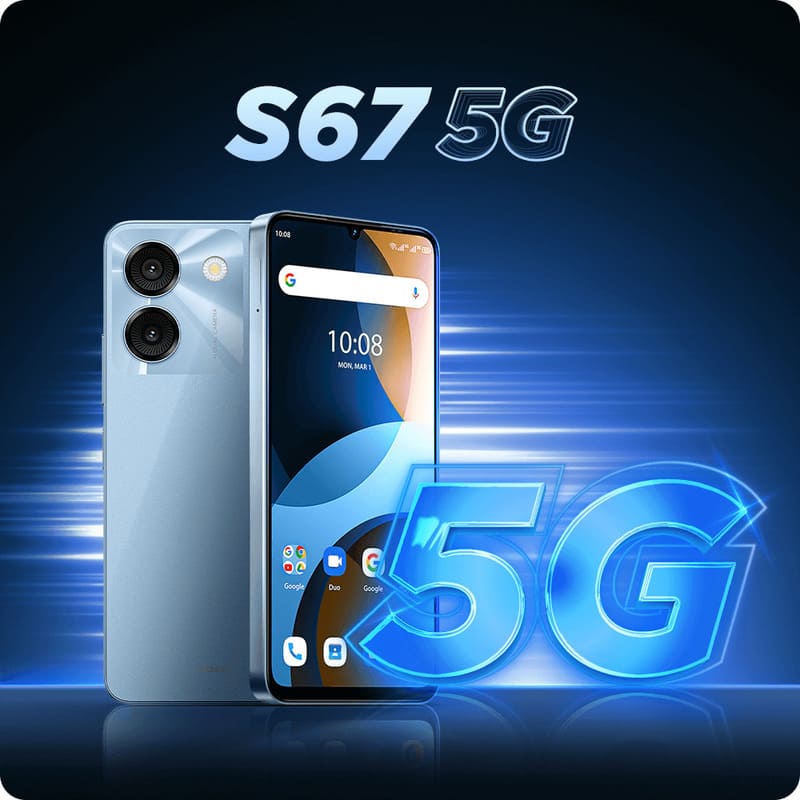
When the device list loads, look for the Airvoice S67 5G review. If it appears, select it immediately. Inventory can change often due to high demand, so choosing the device as soon as it appears increases your chance of receiving it.
If the phone is not listed, you can check again later or choose another model while waiting for restocks.

Step 5: Upload Your Required Documents
Now it’s time to upload documents that confirm your identity, address, and eligibility. Common documents include:
- A government-issued ID
- A utility bill or lease for address proof
- Medicaid, SNAP, SSI, or similar program papers
- Income documents if applying through income rules
Make sure your photos are clear and readable. Blurry images often cause delays and require resubmission.
Step 6: Submit the Application and Wait for Review
Once your documents are uploaded, submit your request. Applicants receive updates by text or email depending on the contact method selected. Review times vary, but clear documents usually speed up the process.
Step 7: Receive Your AirVoice S67 5G by Mail
After approval, the provider ships your phone to your mailing address. Most applicants receive their AirVoice S67 5G within a few business days.
The phone arrives ready to activate, allowing you to begin using your Lifeline service right away.
>>> Read more: Guide to Getting a Free 5G Government iPhone for Eligible Users
5.2 Tips to Improve Your Approval Chance
- Use clear, readable images
When applying for the free phone services with Lifeline, the system must be able to read your papers without any blur or glare. Clear photos help confirm your details faster, which is important if you want the device to be approved without delays.
- Double-check your name and address
Before sending the form, look over every detail one more time. A small mistake in your name or address may cause issues during the review or shipping stage. Since the phone is mailed directly to you, the address needs to be correct, complete, and current.
- Apply when stock is freshly updated
The S67 5G smartphone does not stay in stock for long because many households want models with simple features. Applying soon after the device list refreshes gives you a better chance of seeing the phone available in your ZIP code.
- Have your papers ready before starting
Gather your ID, address paper, and income or program papers before opening the application page. When everything is ready, the process feels smoother, and you are less likely to upload incorrect files. This also helps the provider verify your AirVoice phone eligibility faster.

5.3 What Happens After You Submit Your Request
After your documents are reviewed, your provider gives final approval. Your phone is then packed and shipped. When the AirVoice S67 5G arrives, activation takes only a short time, and you can start using your plan immediately.
6. Frequently Asked Questions
6.1 Is the AirVoice S67 5G Good for Daily Use?
Yes. It handles messaging, calls, simple browsing, and social apps comfortably. Many users say the phone feels smooth for everyday habits without needing advanced settings.
6.2 Does the AirVoice S67 5G Support Carrier Switching?
Most Lifeline devices stay locked for a period. After that, switching may be allowed based on provider rules. You can check your device status in your account once the required time has passed.
6.3 How Long Does Approval and Delivery Take?
Most users receive updates in a few days. Delivery usually arrives shortly after approval. The timeline can vary slightly depending on document quality and order volume.
6.4 Can I Upgrade to a Different 5G Phone Later?
Yes. Providers like AirTalk Wireless often list discounted upgrades, including stronger 5G models. Users can browse new options anytime by checking the device page tied to their ZIP code.
Conclusion
The AirVoice S67 5G is a helpful choice for applicants who want a simple 5G device through Lifeline. Once you confirm eligibility and check stock, you can request it easily and receive support from providers like AirTalk Wireless. If you qualify, this can be a practical way to get a no-cost phone.