


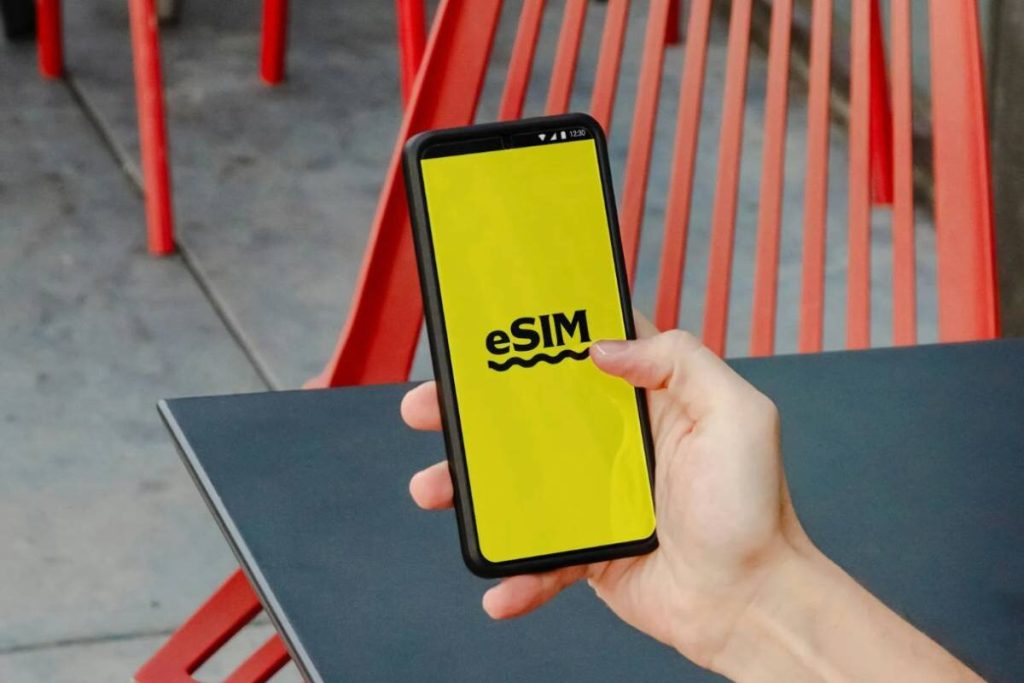
Many users explore eSIM as a flexible way to switch plans without using a physical SIM card. However, questions often come up around “Can I use eSIM on locked iPhone? “, especially when the device is tied to a specific carrier.
A locked iPhone does not only restrict physical SIM cards. The same limitation also applies to eSIM, which means not every eSIM profile will work on your device.
Understanding how this restriction works helps you avoid activation errors and choose the right setup. This guide breaks down when eSIM works on a locked iPhone and what options are available for broader network access.
1. Can I Use eSIM on Locked iPhone
The answer to “Can I use eSIM on locked iPhone?” is yes, but only under certain conditions. A locked iPhone is restricted to one carrier, and that restriction applies to both physical SIM cards and eSIM profiles.
This means:
- You can use eSIM if it belongs to the same carrier your iPhone is locked to
- You cannot use eSIM from a different carrier unless the phone is unlocked
For example, if your iPhone is locked to Carrier A:
- An eSIM from Carrier A will work normally
- An eSIM from Carrier B will not activate and may show errors
So while eSIM gives you flexibility in how you install a plan, it does not override carrier restrictions.
Understanding this helps avoid confusion when switching to eSIM, especially if activation fails even though the device supports it.


2. How eSIM Works on a Locked iPhone
To fully understand can I use eSIM on locked iPhone, it helps to look at how eSIM actually works in a locked environment.
An eSIM is a digital version of a SIM card. Instead of inserting a physical card, you download a carrier profile directly to your device.
On a locked iPhone:
- The phone checks the carrier of the eSIM profile
- It compares it with the carrier it is locked to
- It only allows activation if both match
This process happens automatically in the background.
What this means in practice:
- You can still add multiple eSIM profiles, but only from the same carrier
- Switching between plans from that carrier is seamless
- Any attempt to install a different carrier’s eSIM will fail during activation
So while eSIM makes setup easier and more convenient, the carrier lock still controls which networks your iPhone can access.
3. When eSIM Will Work on a Locked iPhone
To fully answer can I use eSIM on locked iPhone, it is important to know that eSIM works only when it matches the carrier restriction on your device.
Using eSIM from the Original Carrier
eSIM works normally when it comes from the same carrier your iPhone is locked to.
For example:
- Your iPhone is locked to Carrier A
- You activate an eSIM from Carrier A
Result:
- The eSIM installs successfully
- Your phone connects to the network without issues
This is the most common and reliable scenario. Many carriers allow users to switch between physical SIM and eSIM within their own network without restrictions.
Adding a Secondary Line from the Same Carrier
Some carriers support dual SIM setups using eSIM and a physical SIM or multiple eSIM profiles.
On a locked iPhone, this works only if:
- Both lines are from the same carrier
- The carrier supports multiple lines on one device
What this allows:
- Separate personal and work numbers
- Different plans under the same network
- Easy switching between lines
Even though the iPhone supports dual SIM, the lock still limits everything to a single carrier.
4. When eSIM Will NOT Work
Even though eSIM is flexible, it cannot bypass a carrier lock. This is where most activation issues happen.
Trying a Different Carrier’s eSIM
This is the most common situation where eSIM fails.
If your iPhone is locked:
- Any eSIM from another carrier will be rejected
- You may see errors like “SIM not supported” or activation failure
This happens because:
- The device checks the carrier profile
- It blocks any network that does not match the original carrier
No amount of reinstalling or resetting will fix this unless the phone is unlocked.
Using International eSIM Services
Many users try international eSIM services when traveling, expecting them to work automatically.
On a locked iPhone:
- These eSIM profiles are treated as a different carrier
- Activation will fail if the device is still locked
Even if the eSIM is valid and supported globally, the carrier lock prevents it from working.
This is why travelers often face issues when trying to use global eSIM plans on locked devices.
5. How to Use eSIM with Any Carrier
To fully solve the limitation behind “Can I use eSIM on locked iPhone?”, the only real solution is to remove the carrier restriction. Once your iPhone is unlocked, you can use eSIM from any compatible network without issues.
Request an Official Unlock from Your Carrier
Start by contacting the carrier your iPhone is currently locked to.
You can:
- Submit an unlock request online
- Call customer support
- Visit a carrier store
After approval, the carrier will unlock your device remotely. In most cases, no manual code is needed.
Check If Your iPhone Is Eligible
Before submitting a request, make sure your device meets the requirements.
Common conditions include:
- The iPhone is fully paid off
- The contract or installment plan is completed
- The device is not reported lost or stolen
- The account is active and in good standing
If these requirements are not met, the unlock request may be denied.
Activate eSIM After Unlock
Once your iPhone is unlocked, you can set up eSIM from any carrier.
Steps:
- Go to Settings → Cellular → Add eSIM
- Scan a QR code or enter activation details
- Follow the on-screen instructions
After activation:
- Your phone connects to the new network
- You can switch between carriers freely
- You can use both a physical SIM and eSIM if supported
This is the point where eSIM becomes fully flexible.
6. What to Do If Your iPhone Is Still Locked
If you cannot unlock your device yet, your options are more limited, but you can still keep your phone usable without forcing a risky unlock.
You can:
- Continue using eSIM from your original carrier
- Stay on your current plan until you meet the unlock requirements
Instead of focusing only on unlocking, a more practical approach is to make sure you still have a working and affordable mobile plan that fits your current device.
In the United States, the Lifeline program is designed to help low-income households stay connected. It is a federal assistance program that provides discounts on phone service through approved providers.
Important to understand:
- Lifeline does not unlock your iPhone
- It helps you access affordable service while your device is still locked
Who is Eligible for Lifeline?
You may qualify if you meet one of the following:
Program-based eligibility:
- Medicaid
- SNAP (Food Stamps)
- SSI
- Federal Public Housing Assistance
- Veterans Pension or Tribal programs
Income-based eligibility: Household income at or below 135% of the Federal Poverty Guidelines
Note that only one Lifeline benefit per household is allowed.
How Does the Application Process Work?
The process is straightforward and does not require technical setup:
- Visit a Lifeline provider’s website
- Select your state to check availability
- Submit an application with your basic information
- Upload verification documents if required
- Wait for approval
- Activate your service once approved
This process ensures your eligibility is verified before service is activated.
For example, AirTalk Wireless is a Lifeline-supported provider in the U.S. that helps eligible users access mobile service without long-term contracts or high upfront costs.
With AirTalk Wireless, you can:
- Use your existing iPhone if it is compatible (BYOD)
- Choose between SIM or eSIM, depending on your device
- Get a plan that includes talk, text, and data
- Apply without credit checks
In many cases:
- You can keep your current device
- You do not need to unlock your iPhone immediately
- You can stay connected while waiting to meet the unlock requirements
This can be a useful option while you wait to unlock your iPhone or decide on your next steps.


IMPORTANT: The government does not subsidize devices. Lifeline programs cover basic service costs only. Free or discounted devices, upgrade plans, or top-ups are exclusive benefits provided by AirTalk Wireless as part of our promotional offers. Terms and conditions apply. Limited-time promotion—offers vary by state, stock availability, and eligibility.
Conclusion
eSIM adds convenience, but it does not remove carrier restrictions. That is the key point behind the question “Can I use eSIM on locked iPhone?“
A locked iPhone can still use eSIM, but only within the limits set by the original carrier. The moment you try to move outside that network, the restriction becomes visible.
To move beyond that limit, unlocking the device is the turning point. Once that step is complete, eSIM works the way most people expect, flexible, easy to switch, and not tied to a single provider.
Until then, the best approach is to work within what your device allows and choose a setup that keeps your connection stable without unnecessary frustration.