


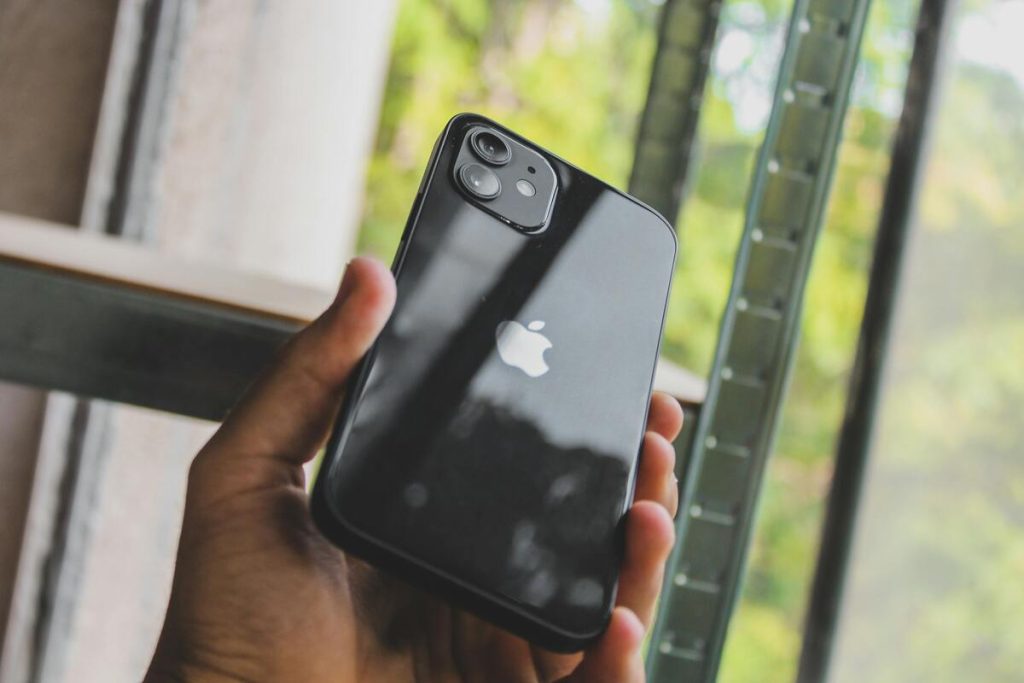
Getting a new phone does not always mean starting over with a completely new wireless setup.
In many situations, users simply move the existing SIM card into the new device and continue using the same number, carrier plan, and mobile service almost immediately. That is why questions like do I need a new SIM card for a new phone have become extremely common during phone upgrades.
At the same time, newer devices now support technologies such as 5G and eSIM, which sometimes create compatibility differences between older SIM cards and modern smartphones.
Before switching devices, it helps to know what actually transfers with the SIM card, what stays on the old phone, and when replacing the SIM may improve compatibility or performance.
1. Do I Need a New SIM Card for a New Phone?
In many cases, no. Your current SIM card will usually continue working in a new phone as long as the device supports the same carrier network and SIM format.
For many users asking “do I need a new SIM card for a new phone”, the answer is often simpler than expected. If the phone is unlocked or carrier-compatible and the SIM size matches correctly, activation may happen automatically after inserting the SIM.
However, compatibility still depends on:
- Carrier support
- LTE or 5G compatibility
- SIM card age
- Physical SIM or eSIM requirements
Some newer devices may also support digital eSIM activation instead of traditional removable SIM cards.


When Your Current SIM Will Usually Work?
Moving an existing SIM card into a newer phone often works smoothly when:
- Both phones support the same carrier network
- The SIM card remains active
- The phone is unlocked or carrier-compatible
- The SIM size matches properly
So can I just buy a new phone and put my SIM in it, you may ask? Yes, you are able to switch devices within minutes without changing phone numbers or wireless plans.
What Transfers When You Move the SIM?
A SIM card mainly transfers carrier-related information instead of full phone content.
When users explore “do I need a new SIM card for a new phone”, many expect everything from the old device to move automatically with the SIM itself, but modern smartphones store most personal content elsewhere.
The SIM card may still transfer:
- Active carrier access
- Mobile phone number
- Limited SIM-stored contacts on older devices
Cloud accounts and internal storage now handle most personal content instead.
What Does Not Automatically Transfer?
Moving the SIM card alone usually does not transfer:
- Photos and videos
- Apps and app settings
- Downloaded files
- Device passwords
- Internal phone storage data
Most newer phones now synchronize that information through:
- iCloud
- Google accounts
- Device backup systems
- External storage
2. What Happens if You Put Your Old SIM Card in Your New Phone?
In many situations, the phone activates normally and connects to the existing carrier network within a few minutes.
For users searching “What happens if I put my old SIM card in my new phone?”, the result is often straightforward:
- The phone number usually remains the same
- Existing carrier service often continues normally
- Calls and texting may start working automatically
- Mobile data may reconnect after restarting the phone
However, older SIM cards may sometimes create problems on newer devices, especially when moving to:
- 5G-compatible phones
- eSIM-focused devices
- Carrier networks using newer activation systems
>>> Read more: What Can You Do Without a SIM Card? What Still Works on Your Phone
3. When You Actually Need a New SIM Card?
Sometimes replacing the SIM card becomes the better option instead of continuing to use an older one.
For example, users upgrading to newer 5G devices may experience better compatibility and network performance with updated SIM activation.
A replacement SIM may also become necessary when:
- The old SIM is physically damaged
- The SIM card is too old for current networks
- The carrier requires updated activation
- The phone only supports eSIM
- The SIM size no longer matches
For many users, the old SIM continues working perfectly fine. However, some carriers recommend newer SIM cards for:
- Improved LTE and 5G compatibility
- Better network authentication
- Newer carrier features
- eSIM migration support
This is why “Should you use a new SIM card with a new phone?” depends mostly on the phone model, network technology, and carrier requirements rather than the upgrade itself.
4. Physical SIM vs eSIM When Upgrading Phones
Many newer smartphones now support eSIM technology alongside or instead of physical SIM cards.
An eSIM works digitally without requiring users to insert a removable SIM tray physically into the phone.
Apple explains that several newer iPhone models now support eSIM-only activation in the U.S. market.
This is part of why the question of whether you need a new SIM card for a new phone has become more complicated than it used to be.
Modern devices may now support:
- Physical SIM + eSIM setups
- Multiple eSIM profiles
- eSIM-only activation
- Faster carrier switching digitally
For some users, eSIM activation may eliminate the need for replacing physical SIM cards entirely.
5. Upgrading Phones Is Easier When Your Device and SIM Match
Phone upgrades usually go much more smoothly when the device, carrier network, and SIM technology are fully compatible with each other.
For users moving to newer LTE or 5G phones, choosing a device that supports modern SIM or eSIM activation can help reduce problems involving network access, activation errors, or unsupported carrier features.
Eligible users may also qualify for wireless service through the federal Lifeline program, which participating providers such as AirTalk Wireless help deliver in supported areas.
Depending on eligibility, local availability, and inventory, qualified users may receive access to:
- Monthly talk, text, and data service through Lifeline-supported plans
- Compatible LTE and 5G-ready smartphones
- SIM card or eSIM activation options
- BYOD support for supported devices
Users interested in newer Android devices with foldable displays and advanced multitasking features may explore options such as the Samsung Galaxy A42 5G.
Those looking for premium iOS performance and long-term eSIM support may also consider newer iPhone 15 devices at AirTalk.
Meanwhile, users focused more on everyday browsing, messaging, streaming, and battery life may find newer Motorola or TCL devices more practical for regular daily use without flagship-level pricing.
The application process generally starts by entering a ZIP code, checking eligibility through qualifying programs or income requirements, selecting an available device or plan if eligible, uploading verification documents, and completing activation after approval.
Available devices, SIM options, supported features, and monthly data amounts may vary by state and may change over time depending on inventory availability and Lifeline program participation rules.


Note: AirTalk Wireless operates under the federal Lifeline Program as an Eligible Telecommunications Carrier (ETC). Eligibility varies by state and program. Offers depend on availability and qualifications. Service is non-transferable and limited to one service per household.
Final Thoughts
Do I need a new SIM card for a new phone? In short, it depends mostly on compatibility between the device, carrier network, and SIM technology itself.
In many situations, existing SIM cards continue working normally after switching devices. However, newer 5G phones, eSIM-only models, and updated carrier systems may sometimes require newer activation methods or replacement SIM cards.
For users upgrading phones regularly, understanding how SIM compatibility works can help avoid activation issues while making the transition to a new device much smoother.