



If you live in Arizona and struggle with schoolwork, job hunting, or telehealth because you do not have a computer, it is natural to start searching for a free laptop Arizona program.
You may have seen ads about “no-cost laptops” for low-income families, students, or people on EBT and Medicaid. The truth is a bit more detailed: most laptops are discounted, not completely free, and the help usually comes through phone and internet support programs, plus extra promotions from service providers.
This guide explains how these offers work in Arizona, who can qualify, and how to apply online in a way that actually leads somewhere.
1. What Is the Free Laptop Arizona Program?
There is currently no single statewide program that ships laptops to every Arizona resident who asks. Instead, when people discuss a free laptop Arizona program, one of the situations is:
- A low-income household qualifies for the federal Lifeline benefit, which reduces the cost of phone or internet service. Lifeline providers, such as AirTalk Wireless, add a limited-time device promotion on top of that support.
- The promotion might include a laptop at a steep discount or as part of a bundle, as long as stock is available.
At AirTalk Wireless, laptops or laptop bundles are sometimes available. Laptop hardware is pricier than phones or tablets, so laptops are rarely completely free. When in stock, you can expect it at a price far lower than retail.
Right now, the most realistic approach is to secure discounted wireless service through Lifeline and then look at device options such as tablets, phones, or laptops offered by AirTalk Wireless for Arizona residents.


2. Who Qualifies for a Free Laptop in Arizona?
Because the change to claim discounted laptops mentioned above is linked to Lifeline eligibility, the key question is not just “who wants a free laptop,” but “who qualifies for low-income communication help?”
Free Laptop Arizona for Low-Income Households
In general, a household in Arizona can qualify for Lifeline if its income is at or below 135% of the Federal Poverty Guidelines or if someone in the home participates in certain assistance programs. That is why the phrase “free laptop Arizona for low income” appears often in searches: income is a major part of the approval process.
In Arizona, some of the most common qualifying paths include Nutrition Assistance (the state’s name for SNAP) and Medicaid.
If you already receive one of these benefits, you may be on track to qualify for Lifeline automatically. That status then allows you to claim free or low-cost phone service, when available, and device offers such as discounted laptops, tablets, smartphones, or smartwatches from AirTalk Wireless.
Required Documents
To move from “I might qualify” to “I am approved,” you may need to submit some documents if your eligibility can’t be verified automatically.
The exact list can change, but most Arizona residents should prepare the following before they apply:
- A document that shows you receive Nutrition Assistance, Medicaid, or another qualifying benefit, or a document that confirms your income meets the Lifeline limit.
- A photo ID, such as an Arizona driver’s license or state ID.
- A document that shows your current address, such as a utility bill, lease, or official letter.
Having these ready helps you apply smoothly.
How to Apply for a Free Laptop in Arizona
If you are wondering how to apply for free laptop from government online,
You can apply for Lifeline online through the USAC Lifeline Support. The site gives a clear path: you confirm your eligibility, upload your documents, and wait for the National Verifier to review your case.
Once you are approved for Lifeline, you can choose AirTalk Wireless as your provider. Review the plans and current list of devices offered by AirTalk in your ZIP code. If laptop promotions are active for Arizona residents, they will appear. Select the plan and device you want.
Alternatively, you can apply directly through the AirTalk Wireless website:

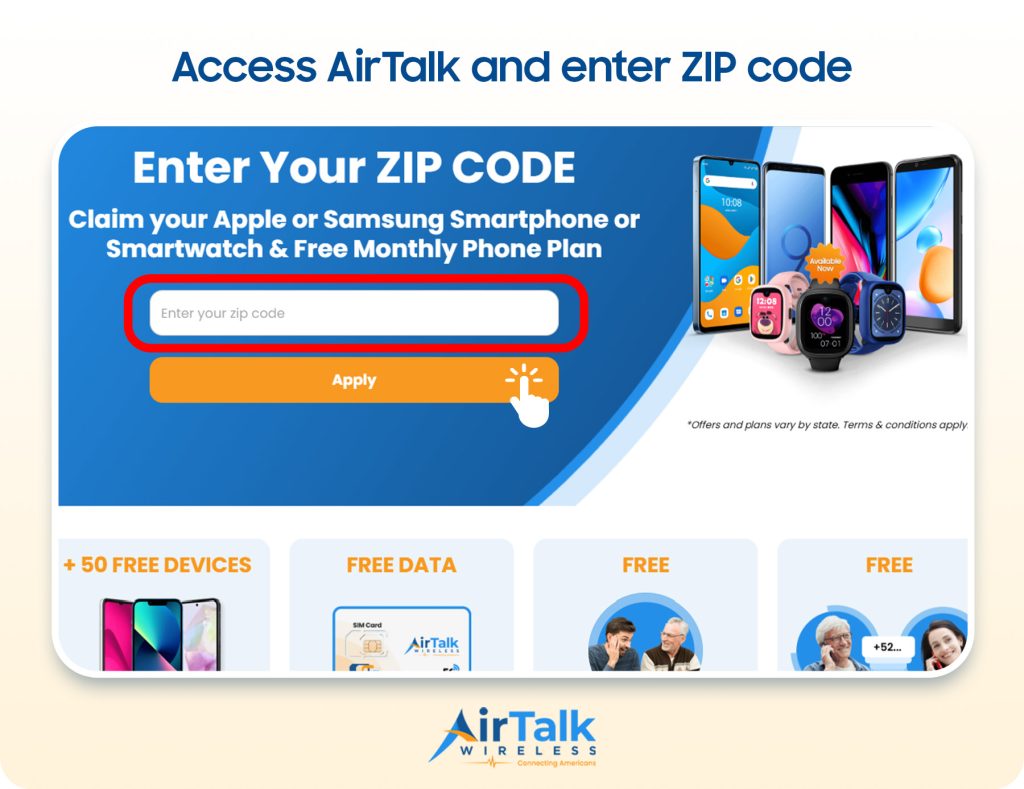
- Enter your ZIP code to see if service is available in your area.
- Browse the plans available in your location and select one that fits your needs.
- View available devices and choose the one you prefer.
- Provide the required personal details (your name, date of birth, etc.)
- Choose how you qualify for Lifeline benefits, either through income eligibility or participation in a qualifying assistance program.
- Upload documents to verify your application if needed
- Review all information carefully, then submit your application for approval. If approved, your selected device will be shipped to your home within a few business days.
Even if laptops are not available on the day you apply, you can pick from other available devices, like phones or tablets. Then you can check back on the AirTalk Wireless product catalog to see if laptop stock has returned.
3. Program Requirements Arizona Residents Should Know
Keep in mind some important things before you apply for Lifeline to get a discounted laptop:
- Only consumers who meet Lifeline eligibility requirements may enroll in the program.
- Each household is limited to one Lifeline discount. A household is defined as one or more people living at the same address who share income and household expenses.
- Even if multiple people in the same household qualify, only one person may be the Lifeline subscriber.
- The Lifeline benefit is non-transferable.
- To keep your Lifeline service active, you must use it at least once every 30 days. This can be as simple as making a call, sending a text, or using mobile data.
- You must verify your eligibility every year to continue receiving Lifeline benefits. You will be notified when it is time to recertify.
Besides, any free laptop Arizona promotions will have their own restrictions, such as varying by state and available inventory.
Because of this, it is better to treat the laptop portion as a bonus rather than the main promise. The steady part of the help is the Lifeline service discount; the laptop, when it appears, is an extra that depends on timing and stock.
Final Word
A free laptop Arizona program sounds simple in theory, but in practice, it involves a few connected steps. Arizona residents start by qualifying for help with phone or internet service through Lifeline, then choose a provider such as AirTalk Wireless, and finally take advantage of any device promotions that are active at the time.
Because laptops are more expensive and stock is limited, they are much less common in these promotions than tablets and phones. That is why the best strategy for Arizona residents is usually to secure service and a reliable handheld or tablet now, then keep an eye on AirTalk’s site for future laptop news.