



If you’re wondering “how to get a replacement government tablet for free“, the process depends on the policies set by the Lifeline Program and your service provider. While Lifeline offers monthly service benefits, replacement devices are handled directly by each provider, and most do not offer completely free replacements unless specific conditions are met.
In this guide, you’ll learn the way to get a replacement government tablet, what situations may qualify you for a low-cost replacement, and how AirTalk Wireless supports customers who need a new device.
1. Can You Get a Replacement Government Tablet for Free?
Many people searching “how to get a replacement government tablet for free” believe that the government will provide a second device at no cost. To understand this correctly, it helps to know how the Lifeline Program works.
Lifeline provides monthly service discounts for eligible households, but it does not pay for replacement devices. This means that a replacement tablet is not fully free in most situations, even if you already qualify for Lifeline.


AirTalk Wireless is a federally approved Lifeline provider offering discounted phones and tablets to eligible customers. The replacement process is handled by the provider rather than the government. Because of this, whether you can get a replacement at no cost depends on the specific situation and the condition of the device.
Here is how replacement eligibility generally works across Lifeline-supported providers, including AirTalk:
- Lost or stolen tablets are not replaced for free. The account owner is responsible for all usage until they report the loss. A replacement device can be ordered, but a fee will apply.
- Damage that occurs after delivery is not eligible for a free replacement. For example, cracked screens or water damage are considered customer-caused issues. These situations require purchasing a new device.
- A device that arrives defective may qualify for a no-cost replacement. If the tablet is delivered with major defects such as a broken display or failure to power on, customers must report it within the required timeframe and provide clear photos. Only delivery-related defects may be eligible for a free exchange.
- Warranty reviews may allow a replacement, depending on the issue. The tablet must be returned in good condition, properly reset, and meet all warranty requirements. Damage caused by misuse is not covered.
Because of these rules, the only time a customer might receive something close to a free replacement is when the device arrives defective, and the issue is reported promptly with proper documentation. Most other replacement requests will involve a fee.
2. Why You May Need a Replacement Tablet
There are many situations where a customer may need help finding how to get a replacement government tablet for free, especially when the original device is no longer usable. A tablet provided through a Lifeline service is often used for important daily tasks such as schoolwork, job applications, telehealth, and communication, so any issue that affects functionality can interrupt essential activities.

Common reasons customers request a replacement include:
- Accidental damage: Drops, cracked screens, hardware issues, or water exposure can stop the tablet from working properly. Since these issues are usually caused by everyday use, they are not covered by free replacement policies.
- Loss or theft: Tablets used outside the home or by students may be misplaced or stolen. In these cases, most providers require purchasing a replacement device.
- Device defects on delivery: If the tablet arrives broken, unresponsive, or unable to power on, customers may qualify for a no-cost exchange as long as the issue is reported quickly and supported with clear photos.
- Battery or performance issues: Over time, the device may slow down or fail to hold a charge. These cases may qualify for warranty review, depending on the condition of the tablet and the timeframe.
- Technical malfunctions: Problems such as display issues, audio malfunctions, charging failures, or software errors can prevent normal use. Some of these issues may be handled under warranty or require a replacement at a discounted rate.
Understanding the common causes makes it easier to determine the right next step, whether it is a warranty claim, support request, or ordering a new device.
3. How to Get a Replacement Government Tablet for Free with AirTalk Wireless
If you need an AirTalk Wireless replacement phone, follow the steps below carefully to ensure your request is processed quickly and correctly. Replacement eligibility depends on the condition of the device and how soon the issue is reported.
Step 1: Contact AirTalk Wireless Customer Service Immediately
Start by contacting AirTalk Wireless customer support so the team can secure your account and guide you through the replacement process.
For urgent replacement requests, call:
- +1 (206) 445-7825
Reporting the issue early is critical.
Important note: If your phone arrived defective, you must report the issue within 15 days of delivery for free pre-owned devices or 30 days for Free brand-new & paid pre-owned devices to qualify for a warranty replacement.
Step 2: Report the Loss or Device Defect Accurately
Once connected with customer support, clearly explain what happened to your device.
- Lost or stolen device: AirTalk Wireless will suspend your account immediately to prevent unauthorized use.
- Defective device: Be prepared to describe the problem in detail, such as display issues, failure to power on, or charging problems.
You may be asked to provide:
- Your AirTalk Wireless account information
- The phone number linked to your Lifeline service
- Details about the issue
If your phone was stolen, filing a police report and keeping the documentation may help support your case, especially since the device is part of a government-assisted phone program.
Providing accurate information at this step helps avoid delays.
Step 3: Request a Replacement and Return the Defective Device (If Required)
After reviewing your case, customer support will explain your replacement options.
- If the phone or tablet is defective, you may be required to return it before a replacement is issued.
- AirTalk Wireless will provide return instructions, including a shipping label and packing slip if needed.
- Once the device is received and inspected, the replacement will be approved if it meets warranty conditions.
Lost or stolen phones typically require purchasing a replacement, while defective devices may qualify for a no-cost exchange if reported on time.
Step 4: Receive Your Replacement Phone and Restore Service
Your replacement phone or tablet usually arrives within 7 to 10 business days.
Activation is straightforward, and AirTalk Wireless ensures your Lifeline service continues without interruption. Once activated, you can resume calls, texts, and data usage as normal.
That’s it. The AirTalk Wireless replacement process is designed to be simple, transparent, and reliable, which is why many Lifeline customers choose AirTalk as their service provider.

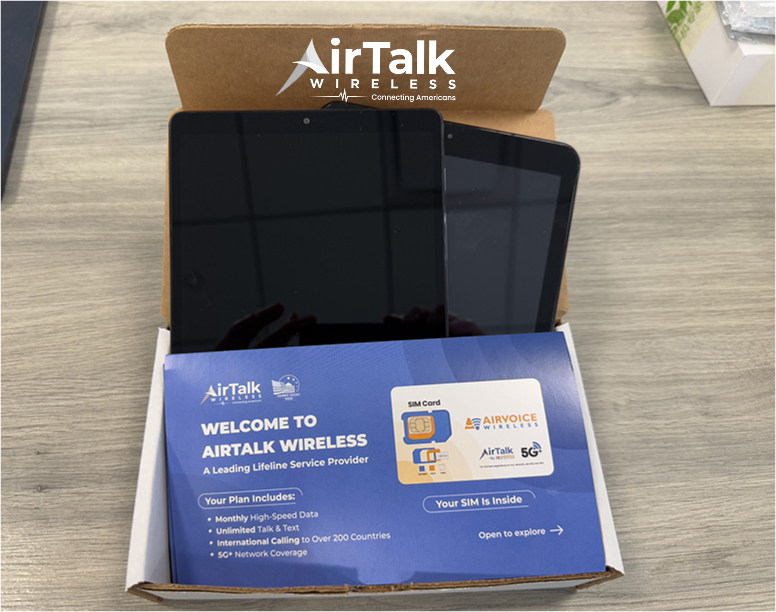
4. Replacement Tablet Costs: What to Expect
When looking into how to get a replacement government tablet for free, it is important to understand that most replacement requests will include a fee. Lifeline covers monthly service, not replacement devices, so the cost depends on the type of issue and the provider’s policy.
Here is what customers can generally expect:
- Free replacement only applies to tablets that arrive defective. If the device is broken, unresponsive, or damaged at the time of delivery, AirTalk Wireless may replace it at no cost as long as the issue is reported immediately with photo evidence.
- Lost or stolen tablets will require purchasing a new device. These situations do not qualify for no-cost replacement. Customers will need to buy another tablet at standard or discounted pricing.
- Damage that occurs after delivery requires a paid replacement. Issues such as cracked screens, water damage, or physical impact are treated as user-caused damage and are not eligible for free replacement.
- Warranty cases may reduce the cost, depending on the condition. If the device stops working due to a manufacturer issue within the warranty period, support may offer a low-cost or discounted replacement.
Replacement pricing varies, but customers can expect to pay a reasonable fee based on the model and inventory available in their state. Understanding these cost factors helps set clear expectations when researching how to get a replacement government tablet for free.
Conclusion
Understanding how to get a replacement government tablet for free helps set the right expectations. Lifeline only covers monthly service, so a no-cost replacement is only possible when the tablet arrives defective and the issue is reported immediately. All other situations require a paid replacement or a warranty review. By contacting AirTalk Wireless and following the proper steps, you can receive a new device at the lowest cost available and stay connected for your daily needs.
FAQs
How do I get a free replacement government phone?
A free replacement may only be offered if the phone arrives defective. You must report the issue right away so the provider can review it. Lost or damaged phones require purchasing a replacement device, and Lifeline does not cover additional free phones after the first one.
Can I get a free tablet from the government?
The government does not hand out tablets directly. Eligible households can apply through the Lifeline Program to receive discounted tablets through approved providers. You must qualify based on income or enrollment in programs such as SNAP, Medicaid, or SSI.
How do I get a free tablet from the government?
Start by checking your eligibility for Lifeline, then apply through a provider such as AirTalk Wireless. Upload your proof documents, choose a service plan, and select one of the discounted tablets available in your state. Once approved, your device will be shipped to you.