



Buying a laptop is now a basic school expense, yet many families simply cannot afford one upfront. That’s why searches for how to get free laptop for students keep rising every year, especially as digital learning becomes mandatory. The reality is more nuanced than most headlines suggest. This guide breaks down how to get free laptop for students in 2026, which programs actually work, and what practical options exist when laptops are not immediately available.
1. Why So Many Families Search “How to Get Free Laptop for Students”
The search for how to get a free laptop for students has surged because laptops are no longer optional for school. Assignments, learning portals, virtual classes, financial aid systems, and even parent–teacher communication all require reliable devices. For many low-income families, paying retail prices upfront simply isn’t realistic, especially when multiple children need access at the same time.
As schools continue to digitize coursework, families look for ways to close the access gap without taking on debt or relying on unreliable secondhand options. That pressure is what keeps how to get free laptop for students at the top of search trends every year.


2. What Students Can and Cannot Expect From Free Laptop Programs
When researching how to get free laptop for students, it’s important to separate expectations from reality. Fully free laptops do exist, but they are limited, competitive, and often tied to specific programs such as school-issued devices, nonprofit grants, or short-term giveaways. Students generally should not expect an unlimited, always-available laptop program open to everyone.
What students can expect are realistic alternatives: discounted laptops, refurbished devices, loaner programs, or tablet and phone solutions that support school portals, assignments, and communication. Understanding these limits helps families avoid scams and focus on programs that genuinely help students stay connected while continuing to monitor opportunities.
3. Verified Ways Students Can Get a Free or Low-Cost Laptop
When families search for how to get a free laptop for students, the safest and most consistent starting point is not random giveaways, but federal assistance programs that already support low-income households, especially the Lifeline program.
Lifeline is a long-standing federal program designed to reduce the digital divide by subsidizing connectivity for eligible households. While Lifeline itself does not permanently guarantee free laptops, it is the most reliable gateway students use to access discounted devices, including laptops during limited promotions, and more commonly tablets or smartphones with data.
In practice, verified ways students can access devices include:
- Lifeline providers offering device support: Approved Lifeline providers sometimes extend device offers as part of enrollment. Laptops are limited and often seasonal, but tablets and smartphones are consistently available and fully support school portals, online assignments, video classes, and communication. For many students, this is the fastest real solution while waiting for laptop stock.
- School-issued or district loaner programs: Many K–12 districts provide Chromebooks or laptops for the academic year. These are loaned devices, not giveaways, but they remain one of the most dependable options outside Lifeline.
- Nonprofit refurbished laptop programs: Organizations refurbish donated laptops and distribute them to low-income students. Availability is unpredictable and often requires waitlists, which is why students frequently rely on Lifeline-supported alternatives first.
Understanding these pathways helps families focus on realistic options within the Lifeline ecosystem, instead of chasing misleading offers when researching how do students get free laptops.
>>> Read more: Get a Free Laptop from Government: 4 Steps To Claim Free Devices
4. Eligibility Requirements Students Must Meet
Understanding eligibility is essential when learning how to get a free laptop for students, because most programs do not operate on a first-come, first-served basis alone. Instead, they rely on specific qualification rules to ensure devices reach students who need them most.
Income-Based Eligibility for Low-Income Families
Most laptop assistance programs, including Lifeline, use household income as a primary filter. Families typically qualify if their income falls within low-income thresholds or if they participate in assistance programs such as SNAP, Medicaid, SSI, or housing support.
In these cases, students usually need to provide proof of benefits or income documents rather than purchasing anything upfront. This income-based pathway is one of the most common ways students qualify when exploring how to get free laptop for students.
Student Status Verification
In addition to income rules, students sometimes may be required verify that they are actively enrolled in school. This can include a student ID, enrollment letter, school-issued email address, or documentation from a district or college.
Some programs are limited to K–12 students, while others extend to college or vocational programs. Verifying student status helps programs ensure devices are used for educational purposes and not resold or misused, which is a key requirement across nearly all legitimate options related to free laptops for students.
5. How Students Can Apply for a Free Laptop (Step-by-Step Guide)
When families research how to get free laptop for students, the most reliable path starts with Lifeline and an approved provider like AirTalk Wireless. Laptops are limited, but this flow gives students the highest chance to access a laptop when available or a strong alternative immediately.
Step 1: Confirm Eligibility (income or program-based).
Students qualify if their household income is at or below 135% of the Federal Poverty Guidelines, or if the household participates in qualifying programs such as SNAP, Medicaid, SSI, or federal housing assistance. Student status alone isn’t enough; eligibility must be verified.
Step 2: Prepare Basic Documents.
Have a government-issued ID, proof of address, and either proof of program participation or income documents ready. If applying via a benefit (e.g., SNAP/Medicaid), you’ll submit an official letter or benefits statement (not just a card).
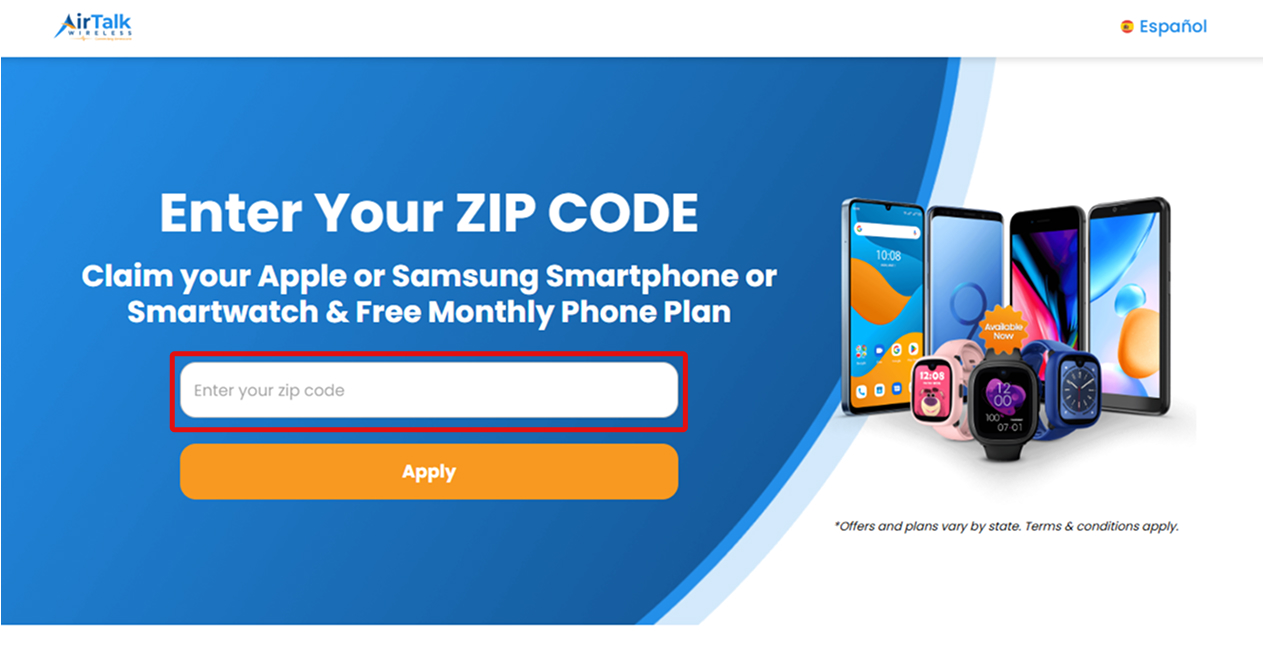
Step 3: Check Availability by ZIP Code.
Enter your ZIP code on the provider’s site to confirm service availability and see which devices are currently offered in your area.

Step 4: Choose a Lifeline Plan with Device Access.
Enrollment in a qualifying Lifeline plan (monthly talk, text, and data) is required before device options appear.
Step 5: Review Device Options
If a laptop is in stock, select it. If not, choose an alternative (tablet or smartphone with data) so the student stays connected while monitoring laptop restocks.
Step 6: Verification, Approval, and Delivery.
After reviewing, if your application is approved, your free laptop or any alternative devices will be shipped to the provided address. Processing times vary by provider.
6. What If Student Laptops Are Out of Stock? Practical Alternatives
Because laptops are the hardest devices to supply consistently, students should plan for high-availability alternatives that still support schoolwork:
- Tablets through Lifeline providers: Android tablets handle LMS portals, assignments, video classes, telehealth, and email. Add a low-cost Bluetooth keyboard to cover typing needs.
- Free smartphones with data: Useful for hotspotting, video calls, portals, and essential communication when a larger screen isn’t required.
- School or district loaners: Many K–12 districts issue Chromebooks for the academic year; check with the school IT office.
- Nonprofit refurbished programs: Low-cost or donated laptops may appear locally, but waitlists are common.
Tip for students: check provider pages frequently and sign up for alerts. Laptop bundles (e.g., laptop + phone) appear occasionally and sell out fast.

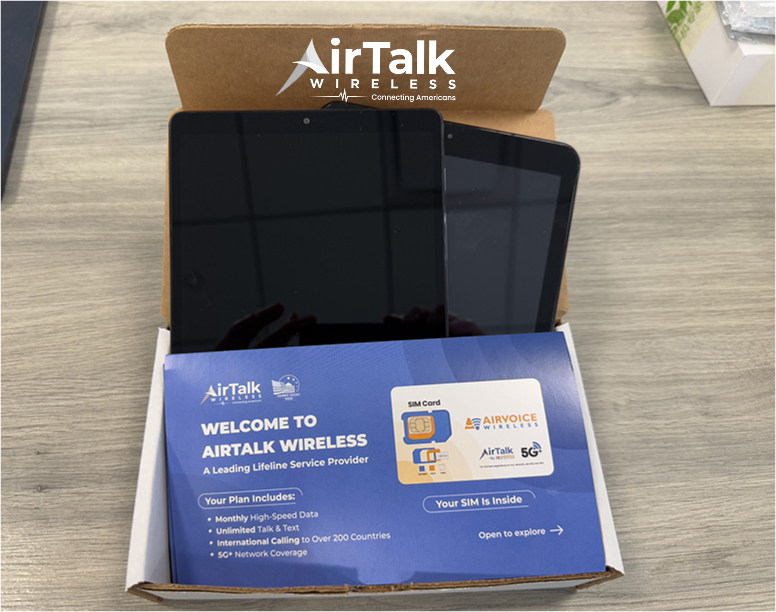
IMPORTANT: The government does not subsidize devices. Lifeline programs cover basic service costs only. Free or discounted devices, upgrade plans, or top-ups are exclusive benefits provided by AirTalk Wireless as part of our promotional offers. Terms and conditions apply. Limited-time promotion—offers vary by state, stock availability, and eligibility.
Conclusion
Understanding how to get free laptop for students means setting realistic expectations. Fully free laptops are rare and limited, but Lifeline-based pathways give students the most dependable access to technology, either a laptop when inventory allows or a tablet/phone with data right away. Starting with an approved provider keeps applications legitimate, fast, and scam-free while students stay connected for class.
FAQs
How do students get free laptops?
Most students access laptops through Lifeline-connected promotions, school loaner programs, or nonprofit refurbishers. Laptops are limited; tablets and phones with data are more consistently available.
How to claim a free laptop?
Verify Lifeline eligibility, apply online through an approved provider, check ZIP-code availability, and select a laptop if it’s in stock. If not, choose an alternative and monitor restocks.
Do schools give out free laptops?
Some schools issue loaner laptops or Chromebooks for the school year. Availability depends on district funding and policies; these are typically loans, not permanent giveaways.