


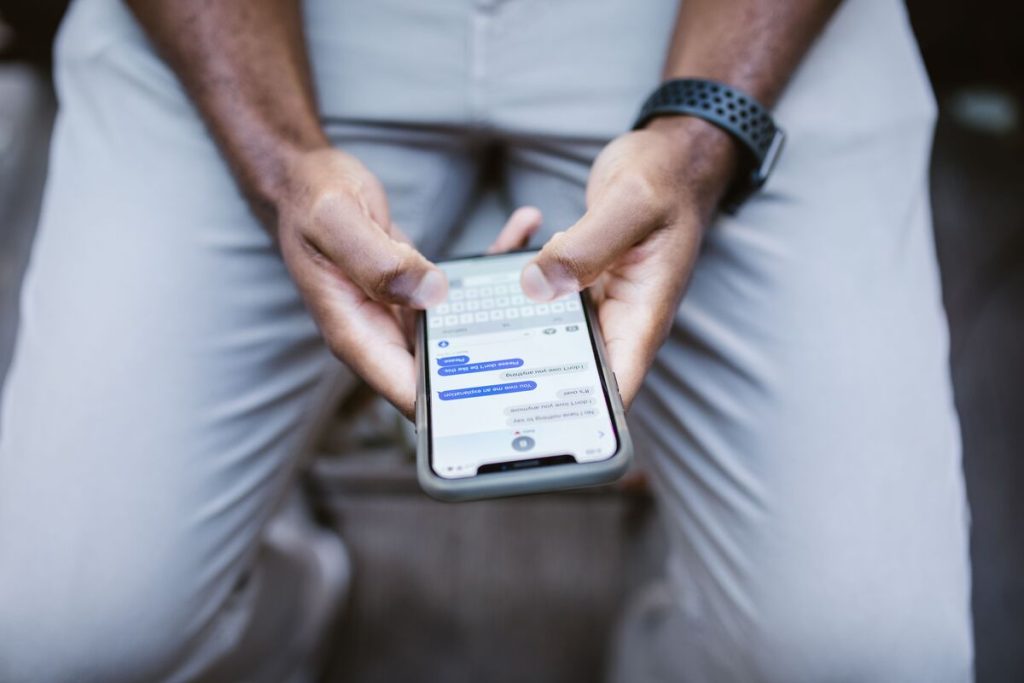
Apple intentionally does not notify people when someone blocks them. That means there is no single iMessage indicator that confirms a block with certainty.
Still, learning how to know if someone blocked you on iMessage can help you spot patterns. Let’s see the signs that tell whether you are blocked.
1. How to Know if Someone Blocked You on iMessage by Checking Multiple Signs?
The safest way to assess how to know if someone blocked you on iMessage is to look for several consistent changes rather than relying on one message or one failed call.
Repeated Calls Going to Voicemail
If every call suddenly goes straight to voicemail, blocking is one possible explanation.
Apple states that a blocked caller can still leave voicemail, but the recipient does not receive a notification about it.
However, voicemail alone is not proof. Focus settings, Silence Unknown Callers, call screening, poor reception, a switched-off phone, or manual call rejection can produce similar behavior.
FaceTime Attempts Failing
FaceTime is another clue when checking how to know if someone has blocked you on iMessage, because blocking a contact in Apple apps applies across supported communication apps such as Messages, Phone, and FaceTime.
If FaceTime attempts consistently fail while the same person’s other Apple communication channels also stop responding, that may support the possibility of a block.
Messages Stop Showing “Delivered”
A more useful iMessage clue is that new messages consistently stop showing Delivered.
Apple confirms that messages sent to a blocked contact are not delivered.
That said, one missing Delivered status does not mean you were blocked. Messages may also fail to deliver because:
- The recipient’s phone is offline.
- iMessage is temporarily unavailable.
- The device has no data connection.
- The recipient changed devices or phone numbers.
- iMessage was disabled.
Do not rely on whether the message changes to Read. Read receipts can be turned off entirely, so a message that says Delivered but never changes to Read is not a reliable sign of blocking.
This distinction is important when researching how to know if someone has you blocked on iMessage.


Your Texts Turn Green Instead of Blue
A green message bubble is commonly misunderstood.
A green bubble does not confirm that someone blocked you. Apple uses green bubbles when a message is sent using SMS, MMS, RCS, or when one or more participants are not currently using iMessage. Apple specifically notes that group messages appear green when a recipient is not using iMessage.
Therefore, if you are asking how to know if someone on iMessage blocked you, treat a sudden green bubble only as a clue that iMessage is not being used for that message—not as proof of blocking.
No “Last Seen” Timestamp Exists in iMessage
Unlike apps such as WhatsApp, iMessage does not provide a general Last Seen timestamp showing when someone was last online.
So, a disappearing “Last seen” status cannot be used to determine how to know if someone blocked you on iMessage.
Focus status is separate from blocking. Apple allows users to share that notifications are silenced when a Focus is active.
If you previously saw “Read” but now only see “Delivered,” the other person may simply have disabled read receipts.
>>> Read more: How to Call Anonymously: The Fastest Way to Hide Your Number
2. A Hidden Tip to Confirm Instead of Just Assuming
There is no hidden iPhone test that can prove a block without uncertainty.
Some users try creating a new group conversation and adding the person they suspect has blocked them. Apple allows users to create group conversations by adding multiple contacts, and existing iMessage groups can also add participants in supported situations.
So if you are trying to confirm how to know if someone blocked you on iMessage, use the group idea only as a technical clue, not proof. Avoid repeated calls, messages, alternate numbers, or new accounts simply to bypass someone’s communication preferences.

3. Other iPhone Settings Can Look Like a Block
Some iPhone settings can make a person seem unreachable even when they have not blocked you:
- Focus mode: Silences notifications and may show “Notifications Silenced” in Messages.
- Silence Unknown Callers: Sends calls from unsaved numbers to voicemail without blocking them. FaceTime has similar filtering options.
- Screen Time limits: Can temporarily prevent calls and messages from certain contacts.
- Other possible causes: Airplane Mode, no internet connection, a powered-off phone, disabled iMessage, a changed phone number or Apple Account, turned-off read receipts, or a rejected call.
For this reason, do not treat one sign as proof. Compare several patterns when trying to determine how to know if someone blocked you on iMessage.
4. FAQs
Does iMessage still say Delivered if you are blocked?
Apple states that messages from a blocked contact are not delivered.
However, the sender does not receive a notification saying they were blocked. A missing Delivered status can therefore be consistent with blocking, but connectivity and iMessage problems can cause similar behavior.
Will an iMessage turn green if someone blocks you?
Not necessarily.
Green means the message is being handled through SMS, MMS, RCS, or another non-iMessage route. It can happen because iMessage is unavailable or because the other person is no longer using iMessage.
Can you tell if someone blocked your number without calling them?
You can look for patterns in Messages and FaceTime, but there is no definitive no-call method.
If messages consistently stop showing Delivered and FaceTime also fails, blocking becomes one possible explanation. Still, Apple deliberately does not notify a blocked sender, so you cannot confirm it from iMessage alone.
Does Focus mode look the same as being blocked?
Sometimes, but not exactly.
Focus can silence notifications while messages may still be delivered normally. If Focus Status sharing is enabled, Messages may explicitly show that the person’s notifications are silenced.
>>> Read more: How to Tell If Your Blocked on iPhone Without Calling: Signs You Should Know
Final Thoughts
Understanding how to know if someone blocked you on iMessage requires looking at several possible signs rather than relying on a single clue.
However, green bubbles, missing Read receipts, Focus mode, network issues, or disabled iMessage can cause similar symptoms. Check for several consistent signs over time, but remember that Apple keeps blocking private, so only the person can confirm it.
For more guides on phones, wireless service, and everyday tech, explore the AirTalk Wireless blog!