


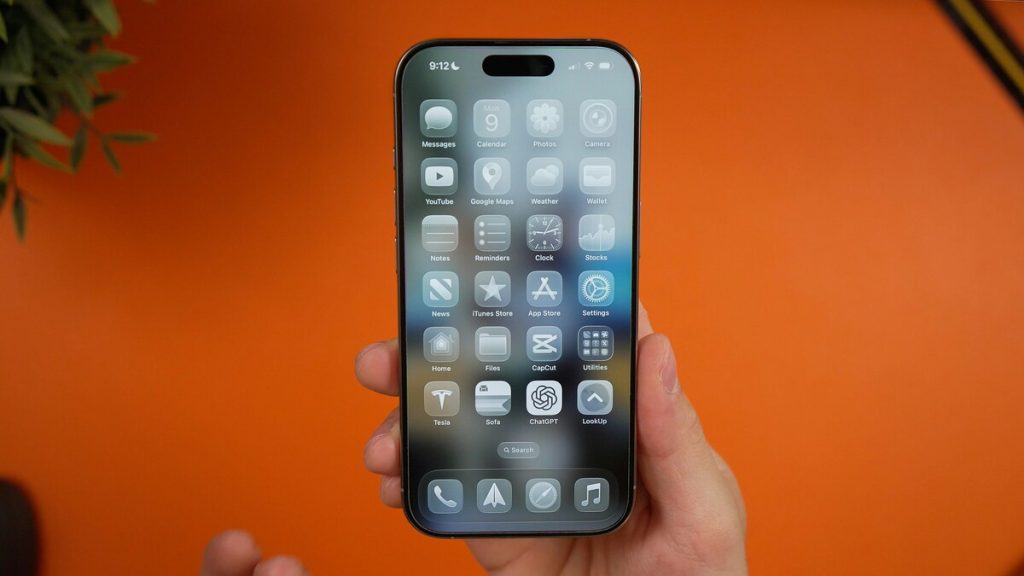
A strange pop-up, a battery that empties by lunch, or an app you never installed can make anyone nervous. How to remove malware from iPhone is a question with a calm answer: most problems can be fixed with a few settings checks, and a reset is the last resort.
1. Can an iPhone Get Malware?
Yes, but it is far less common than on other platforms. iPhone apps come through centralized distribution, run in sandboxes that wall them off from each other, and are signed, and the App Store screens apps for known malware before publishing them.
That is why classic self-replicating viruses rarely reach iPhones. That shapes how to remove malware from iPhone: the threats are narrower, so the fixes are simpler.
What iPhone Malware Usually Looks Like
Real iPhone threats tend to be adware, spyware, and Trojan-style apps that pretend to be useful.
Stalkerware and other spyware are mostly spread outside official app stores. Advanced spyware exists too, though it usually targets specific people and often leaves no visible sign.
Most everyday exposure begins with a choice. Phishing links, suspicious downloads, and jailbreaking, which bypasses security features, all open the door.
A malicious configuration profile is another route, because profiles can change account settings and device functions without a normal app install.
Signs Your iPhone May Be Infected
Watch for unfamiliar apps, settings that change on their own, redirects in Safari, unusual pop-ups, and profiles you do not recognize.
Frequent crashes and a faster-draining battery are possible warning signs, but they are not proof, since overheating and slowdowns have many harmless causes.
Two checks help before you try “how to remove malware from iPhone” fixes.
- Open Settings, tap Battery, and look at the app list for an unexpected app with heavy background activity.
- Then open Settings, tap Cellular, and look for an app using more data than it should. If your Apple Account shows sign-ins you do not recognize, that points to a compromised account, which is not the same as malware on the phone.
>>> Read more: How to Fix Slow Startup Windows: 9 Proven Ways to Speed Up Your PC
2. How to Remove Malware From iPhone Step by Step
Work through these five steps in order and stop when the symptoms go away. The advice on how to remove malware from iPhone 2026 is the same for new and older models: gentle steps first, erasing last.

Restart and Update iOS
- Turn the iPhone off, wait a few seconds, and turn it back on.
- Then open Settings, tap General, and tap Software Update. Install anything available. To keep this automatic, tap Automatic Updates and turn on Automatically Install.
Delete Suspicious or Unrecognized Apps
- Touch and hold the icon, tap Remove App, tap Delete App, then tap Delete to confirm.
- Cancel any subscription tied to the app first, since deleting it does not cancel billing. If you are asking how to remove malware from my iPhone after a bad download, start with apps you did not install.
Check for Suspicious Configuration Profiles and VPNs
- Go to Settings, tap General, then tap VPN & Device Management.
- If nothing is listed, no profiles are installed. If you see one you do not recognize, select it, tap Delete Profile, follow the prompts, and restart. A VPN that depends on that profile will stop connecting. On a work or school phone, check with the administrator first.
Clear Safari History and Website Data
- Open Settings, tap Apps, then tap Safari.
- Tap Clear History and Website Data, choose a time range, and tap Clear History.
- To keep your history, go to Advanced, tap Website Data, tap Remove All Website Data, and tap Remove Now. AutoFill information stays.
Restore or Erase as a Last Resort
- If problems continue, back up your data and open Settings, tap General, then Transfer or Reset iPhone.
- Tap Erase All Content and Settings, then tap Continue. Choose whether to keep your eSIM, enter your passcode, and enter your Apple Account password.
- When the Hello screen appears, restore from a backup made before the trouble started, or set up as new.
3. How to Protect Your iPhone From Future Malware Threats
These habits keep a clean phone clean and make how to remove malware from iPhone a one-time task:
- Keep iOS and apps updated with Automatic Updates turned on.
- Install apps only from trusted sources and avoid jailbreaking.
- Review app permissions and remove access an app does not need.
- Avoid suspicious links, attachments, and downloads, and never share personal information on request.
- Skip configuration profiles from unknown sources.
- Use a strong passcode and turn on two-factor authentication for your Apple Account.
Searches for how to remove malware from iPhone Apple Support end at these same steps for profiles, updates, and erasing.
>>> Read more: How to Clean Virus From iPhone for Free, Step by Step?
4. FAQs
Does iPhone Have Built-In Malware Protection?
Yes, in layers. Apps are reviewed before they appear in the App Store, and a harmful app can be pulled afterward.
In regions that allow other marketplaces, extra checks apply, but more risk remains, including malware and scams. Your own choices about links and downloads still decide much of your safety.
Can You Scan an iPhone for Malware?
Not the way a computer is scanned. Each app is sandboxed, so one app cannot inspect the files of another. A manual review is the practical check: look at your installed apps, your profiles, and unusual battery or data use.
Is There a Free Malware Removal App for iPhone?
You do not need one, since deleting apps and profiles is built into iOS. Be wary of apps that promise to clean a virus. Free scans advertised in pop-ups are a common lure and can claim problems that do not exist.
Does Factory Resetting an iPhone Remove Malware?
A reset removes apps and settings, so how to remove malware from iPhone often ends here, but it does not fix a compromised Apple Account.
If you notice unknown sign-ins or devices, change your password and remove unfamiliar devices at account.apple.com as well. Skip restoring the backup if you are unsure when the trouble began.
Will Updating iOS Get Rid of Malware?
Not by itself. An update fixes security flaws, but it will not delete an app or profile you already installed. Update first, then check apps and profiles.
What Should You Do If You See a Fake Virus Alert on Your iPhone?
Do not tap the link or call the number in the message. Technology companies do not contact you by phone, email, or text about a problem with your device. Close the page and clear Safari history and website data. If you lost money or gave out details, report the scam at ReportFraud.ftc.gov.
5. Final Thoughts
Most suspected infections end with a restart, an update, a deleted app, or a removed profile. Erase the phone only if symptoms persist, and check your Apple Account, because a compromised account can look like a hacked iPhone.
Keep updates on the latest AirTalk Wireless articles and stay inside trusted sources, and you will rarely need to learn how to remove malware from iPhone once again.