


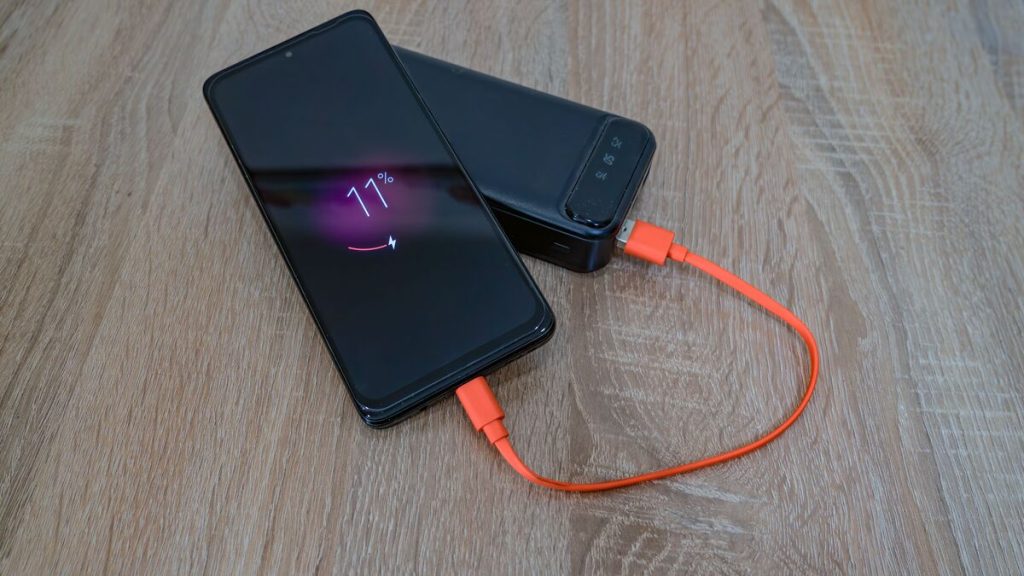
A phone becoming slightly warm is not always a problem. Charging, gaming and software updates can all make a device temporarily warmer because the processor, battery, radios, and display are working harder.
The important question is whether the phone cools after the demanding activity stops. Understanding how to stop phone from overheating means reducing the workload, moving the device away from external heat, and allowing it to return to a normal operating temperature without using extreme cooling methods.
1. What Is the Main Reason for Phone Heating?
There is no single cause behind every overheating phone. In many cases, heat comes from high power consumption combined with environmental conditions.
Google says Pixel phones may become warm while gaming, streaming video, recording high-definition video, using navigation, tethering, uploading or downloading large amounts of data, restoring backups, or performing these activities while charging.


Therefore, the first step in how to stop my phone from overheating is identifying what the device was doing immediately before the temperature increased.
2. How to Stop Phone From Overheating?
If your phone becomes uncomfortably hot, stop adding more heat and reduce the workload. Modern phones have built-in thermal protections, but giving the device time to cool can prevent performance slowdowns and unnecessary battery stress.
Move the Phone Away From Heat
External temperature matters. Move the phone out of direct sunlight, away from a hot dashboard, heater, or other heat source, and place it somewhere shaded with normal airflow.
Apple specifies an ambient operating range of approximately 32°F to 95°F (0°C to 35°C) for iPhone and warns that using the device in very hot conditions can permanently shorten battery life. Samsung gives the same recommended operating-temperature range for Galaxy devices.
This environmental step is often the fastest part of how to stop phone from overheating, especially when the problem started outdoors or inside a parked car.
Stop Power-Intensive Activities
Pause gaming, video recording, navigation, hotspot use, video calls, large downloads, and other demanding tasks.
It is recommend to stop features or apps that heavily use the phone’s resources until the device cools.
Remove the Case Temporarily
A case is not automatically the cause of overheating, but some cases can slow heat dissipation while the phone is already warm.
If the phone is very hot, removing a thick case temporarily can allow more heat to escape naturally. Put the case back on after the phone returns to a normal temperature.
Reduce Screen and Performance Demand
The display can consume significant power, particularly at maximum brightness. Lower the brightness, stop unnecessary background activity, and temporarily disable features you are not using.
Google recommends reducing Pixel display brightness when heat is a concern. Samsung similarly suggests lowering screen brightness and turning off unused Wi-Fi, GPS, or Bluetooth connections.
These changes make how to stop your phone from overheating less about one emergency fix and more about reducing several sources of power consumption at the same time.
3. How to Stop Phone From Overheating While Charging?
A phone may normally become warmer during charging, particularly with fast or wireless charging. However, excessive heat should not be ignored.
For how to stop phone from overheating while charging, start by unplugging the charger if the device becomes unusually hot. Allow the phone to cool before reconnecting it.
Use a compatible, reputable charger and cable. Incompatible or defective chargers are a possible source of excessive heat and recommends authentic or approved charging accessories.
Avoid running demanding apps during charging. Gaming, navigation, video calls, hotspot use, and high-quality streaming generate their own heat while charging adds more.
>>> Read more: How to Connect Two Monitors to a Laptop or Desktop Computer
4. When Overheating May Point to a Battery or Hardware Problem?
Occasional warmth during demanding tasks is normal. Persistent overheating during light use is more concerning.
Warning signs can include repeated temperature shutdowns, rapid battery drain, failure to charge normally, unusual swelling, a back cover that begins separating, or excessive heat even when few apps are running.
If the phone is old, damaged, or no longer economical to repair, replacement may be worth considering. Low-income households may also have another option: Lifeline.
AirTalk Wireless states that qualifying customers may receive free phone service and, depending on location and current offer, a free 4G/5G smartphone. Eligibility can be based on low income or participation in programs such as Medicaid, SNAP, SSI, or Federal Public Housing Assistance.
The AirTalk application process usually includes:
- Checking eligibility based on income or qualifying-program participation
- Entering your ZIP code
- Selecting an available device and plan
- Uploading eligibility documents when required
- Completing the online application
- Receiving the phone and activating service after approval.
Device availability varies by state and current inventory.
For someone trying to solve how to stop a phone from overheating but dealing with a device that clearly has failing hardware, replacing the phone may ultimately be safer and more practical than repeatedly trying software fixes.


>>> Read more: How to Turn Off Read Receipts iPhone (2026 Update)
5. FAQs
Is It Normal for a Phone to Get Warm While Charging?
Yes. Some warmth during wired, fast, or wireless charging can be normal. Apple notes that wireless charging can make an iPhone feel warmer, while Google and Samsung also identify charging as a normal source of heat. Excessive heat, repeated warnings, or charging that repeatedly stops should be investigated.
Can I Put My Phone in the Fridge to Cool It Down?
No. Phone manufacturers recommend allowing an overheated device to cool naturally in a cooler environment rather than exposing it to extreme temperature changes. Apple specifies normal operating temperatures of 32°F–95°F and warns that temperatures outside recommended ranges affect device behavior.
Can Overheating Permanently Damage a Phone Battery?
Yes, repeated exposure to high temperatures can accelerate battery deterioration. Apple states that using an iPhone in very hot conditions can permanently shorten battery life, while Samsung says extended use or charging in extreme temperatures can accelerate battery deterioration and shorten battery life.
Why Does My Phone Overheat When Using Mobile Data?
Cellular communication requires the phone’s radios to remain active, and large downloads, uploads, hotspot use, or weak signal conditions can increase power demand.
Does Removing the Phone Case Help It Cool Down?
It can. Apple specifically recommends removing an iPhone case when the phone tends to become hot while charging. The benefit depends on the case and phone, but removing a thick case temporarily may improve natural heat dissipation.
Final Thoughts
Learning how to stop phone from overheating begins with identifying what is generating the heat. Direct sunlight, processor-heavy apps, prolonged navigation, mobile-data activity, charging, and incompatible accessories can all contribute.
Move the phone to a cooler environment, pause demanding tasks, reduce brightness, remove the case temporarily when appropriate, and unplug it if charging is making the temperature excessive.
Once these distinctions are clear, how to stop phone from overheating becomes a matter of controlling normal heat sources while recognizing when the device itself needs professional attention.