


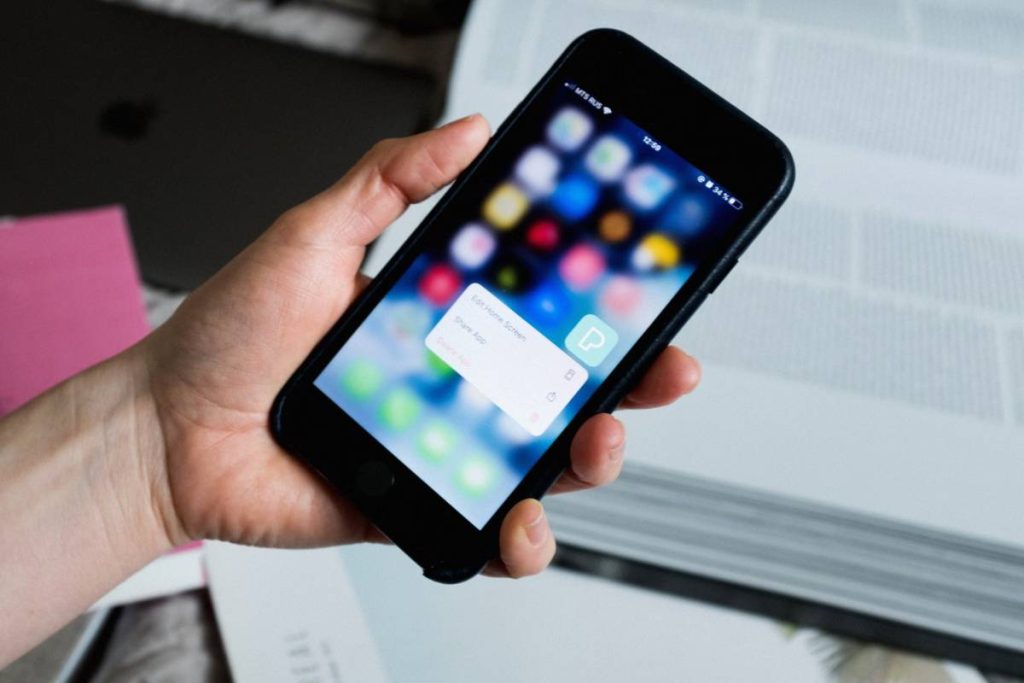
A camera click can feel disruptive when you are taking photos in a quiet room, capturing a sleeping pet, or photographing something without interrupting the moment. Yet the available controls are not always obvious, especially across different iPhone models.
How to turn off camera sound on iPhone? This depends on the phone’s physical controls, camera mode, and regional requirements. The methods below help you manage the shutter sound without unexpectedly changing more audio settings than intended.
1. How to Turn Off Camera Sound on iPhone With 3 Simple Methods
The right method depends on whether your iPhone has a Ring/Silent switch or an Action Button. You can also lower the shutter volume or use Live Photos when you do not want to silence every alert.
Enable Silent Mode
Silent Mode is the quickest way to mute the camera click on most iPhones, but the control varies by model.
For an iPhone with a Ring/Silent switch:
- Find the switch above the volume buttons.
- Move it toward the back of the iPhone.
- Check that the orange indicator is visible.
- Open Camera and take a test photo.
For an iPhone with an Action Button:
- Press and hold the Action Button if it is assigned to Silent Mode.
- Look for the Silent Mode icon or confirmation on the screen.
- Take a photo to test the shutter.
If holding the Action Button activates another feature, open Settings > Action Button and assign Silent Mode. You may also use the Silent Mode control in Control Center where available.
Remember that Silent Mode also affects many calls, notifications, and system alerts. Turn it off again when you finish taking photos if you do not want to miss incoming alerts.
Reduce the Shutter Volume
Lowering the volume makes the click less noticeable without placing the iPhone in Silent Mode.
Open Control Center by swiping down from the upper-right corner, then drag the volume slider downward. On an iPhone with a Home button, swipe up from the bottom instead. Return to Camera and take a test photo, adjusting the slider again if necessary.
This approach is useful when you want quieter photos but still need audible notifications. However, the shutter may not become completely silent at the lowest volume in every region. The camera shutter volume can be adjusted through Control Center.
Take Photos With Live Photos Enabled
Another solution for how to turn off camera shutter sound on iPhone is to activate Live Photos:
- Open Camera and select Photo mode.
- Find the Live Photos icon, which resembles several concentric circles.
- Tap the icon so it appears active rather than crossed out.
- Capture a test photo.
Live Photos records a brief moment before and after the shot, so the saved item includes motion and sound. When this feature is active, the iPhone normally does not play the standard shutter click. Regional sound requirements can still override this behavior.
2. Can You Mute the Camera Without Silencing Other Sounds?

The iPhone does not provide a dedicated setting that permanently disables only the camera shutter while leaving every other sound unchanged.
Silent Mode removes the click on many devices, but it also affects calls, notifications, keyboard clicks, and other alerts.
If you are working out how to turn camera sound off on iPhone without missing notifications, consider these alternatives:
- Use Live Photos: This generally suppresses the standard shutter click while keeping the iPhone in Ring Mode. It works best for ordinary pictures taken in Photo mode.
- Reduce the volume temporarily: Lower the volume through Control Center before taking the picture, then raise it again afterward.
- Use headphones cautiously: Headphones may redirect some audio, but they are not a dependable way to control the shutter sound across every model and region.
- Check the current camera mode: Live Photos is unavailable in certain modes, so the camera may produce a sound when you switch to another shooting option.
Neither Live Photos nor reduced volume creates a permanent camera-only preference. Live Photos also changes the type of image captured, while lowering the volume may temporarily make other audio quieter.
In regions where the shutter sound is legally or commercially required, the camera may still click regardless of Silent Mode, Live Photos, or the volume level. The iPhone does not offer a supported setting for bypassing that regional behavior.
3. Why Does the Camera Still Make a Sound?
If the previous methods do not remove the click, the cause may be a regional requirement, an inactive Silent Mode control, or a camera mode that does not support Live Photos.
The Shutter Sound Is Required in the Current Region
Some iPhones are configured to play a shutter sound because of requirements in the country or region where the device was sold or is being used. On these models, lowering the volume or enabling Silent Mode may not fully mute the camera.
This behavior is controlled by the device’s regional configuration, not simply the selected language or Region setting. Changing those preferences may therefore have no effect. The shutter sound cannot be muted in certain countries and regions.
Silent Mode Is Not Enabled Correctly
An orange mark beside the Ring/Silent switch indicates that Silent Mode is active. If no orange is visible, move the switch again and watch for the confirmation on the screen.
On an Action Button model, pressing the button may launch Camera, Focus, or another assigned function instead. Press and hold it, then check whether the Silent Mode symbol appears. If it does not, review the Action Button assignment or use the Silent Mode control in Control Center.
Live Photos Does Not Work in the Selected Camera Mode
Live Photos primarily applies to still images captured in Photo mode. It may be unavailable when using modes such as Video, Slo-mo, Time-lapse, or Panorama.
When testing how to turn off the camera sound on iPhone, return to Photo mode and confirm that the Live Photos icon is active. If the icon is crossed out, tap it before taking the picture.
The camera may also remember that Live Photos was disabled, depending on the choices under Settings > Camera > Preserve Settings.
>>> Read more: How to Turn Off Vanish Mode on Instagram? 3 Easy Fixes That Work Fast
5. What Changes When You Put Your iPhone in Silent Mode?
Silent Mode prevents many audible alerts from interrupting you, but it does not make the entire iPhone silent. Before using it to turn off camera sound on iPhone, consider which other sounds may change.
With Silent Mode active:
- Incoming calls and notifications usually vibrate instead of playing their assigned tones.
- Keyboard clicks and the lock sound are muted.
- The standard camera shutter click is silenced where regional rules allow it.
- Alarms created in the Clock app still produce sound.
- Music, videos, games, and other media can continue playing through the speaker.
- Emergency alerts may remain audible, depending on their type and your notification settings.
- Haptic feedback may continue unless vibration is disabled under Settings > Sounds & Haptics.
These differences mean you can still watch videos or listen to music after activating Silent Mode. However, you might not hear incoming calls or messages, so remember to return the iPhone to Ring Mode after taking photos.
For someone considering how to turn off camera click sound on iPhone without changing incoming alerts, Silent Mode may be too broad. Enabling Live Photos or temporarily lowering the volume offers more control, although neither provides a permanent camera-only mute setting.
6. FAQs
Can I Permanently Disable the iPhone Camera Sound?
No. iOS does not include a separate switch that permanently disables only the shutter sound. The available options for how to turn off camera sound on iPhone are Silent Mode, a lower volume, or Live Photos, subject to regional restrictions.
Does Silent Mode Mute Videos Recorded With the Camera?
No. Silent Mode can suppress the shutter click, but it does not prevent the microphone from recording audio with a video. To create a silent video, remove or mute its audio afterward in Photos or a video-editing app.
Why Does My iPhone Camera Make a Sound With Live Photos On?
The selected camera mode may not support Live Photos, or the device may be subject to a regional shutter-sound requirement. Return to Photo mode, confirm that the Live Photos icon is active, and test the camera again.
Will Lowering the Media Volume Silence the Camera?
It can reduce or mute the shutter on many iPhones, but the result depends on the model and regional configuration. Open Control Center, lower the volume slider, and take a test picture before entering a quiet environment.
>>> Read more: Need Some Privacy? How to Hide Location on iPhone with 3 Different Settings
7. Conclusion
With these three stress-free ways, you can take photos quietly and avoid disturbing the people around you. Try them out, find the one that works best for you, and enjoy a quieter camera experience. It is worth trying all three at least once so you know exactly what to do the next time a quiet moment calls for it.
For similarly practical tips like how to turn off camera sound on iPhone, explore the latest guides on the AirTalk Wireless blog on using technology in everyday life.