


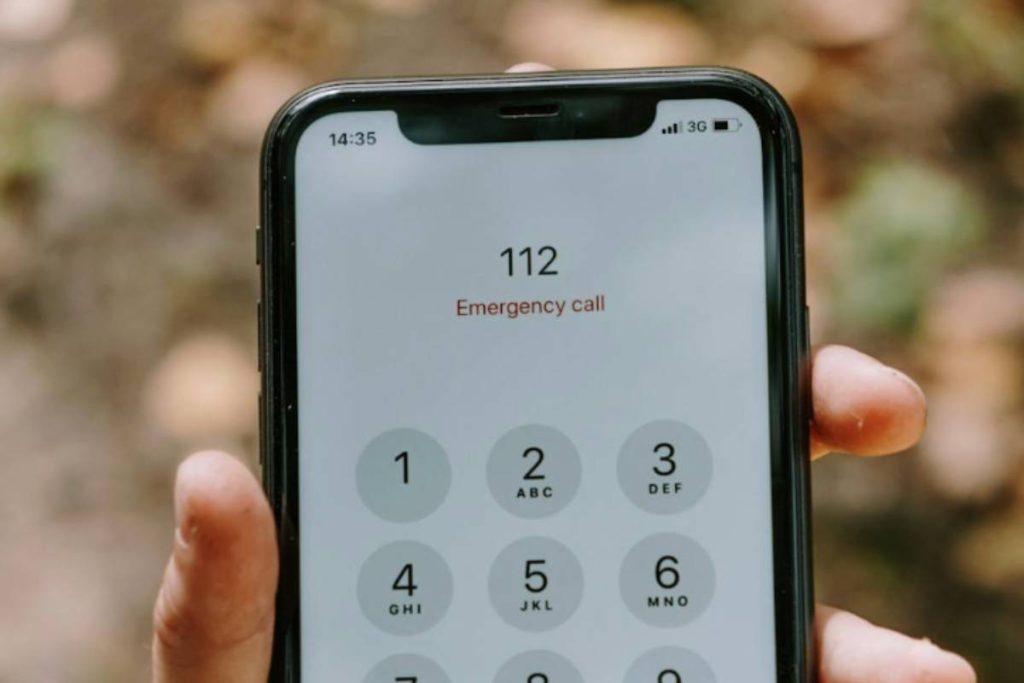
If you are trying to figure out how to unlock iPhone, the solution depends on what is actually locked. It could be your screen, a disabled device, or a carrier restriction that prevents you from using another SIM card.
Each situation requires a different approach. Some can be fixed in seconds, while others may take a few steps to complete safely.
This guide breaks down all common iPhone lock scenarios and shows you exactly what to do so you can regain access and use your device normally again.
1. How to Unlock iPhone Screen (Passcode or Face ID)
When learning how to unlock iPhone, the most common situation is simply accessing the screen. This can be done quickly using Face ID, Touch ID, or your passcode, depending on your device settings.
Use Face ID or Touch ID
If biometric unlock is enabled, this is the fastest method.
- Face ID: Look at your iPhone while it is locked
- Touch ID: Place your finger on the Home button or sensor
If recognized, your iPhone unlocks instantly.
This method is secure and convenient, but it may not work if:
- Your face or fingerprint cannot be recognized
- The device has just restarted
- Face ID or Touch ID is temporarily disabled
In those cases, you will need to use your passcode.
Enter Your Passcode
Your passcode is the backup method for unlocking your iPhone.
Steps:
- Wake the screen
- Swipe up or press the Home button
- Enter your passcode
This works even if Face ID or Touch ID fails.
Important:
- Entering the wrong passcode multiple times can disable the iPhone
- After several failed attempts, you may see a “iPhone is disabled” message
If you cannot remember your passcode, you will need to reset the device.

Use Apple ID to Reset (If Forgotten)
If you forget your passcode, the only way to unlock your iPhone is to reset it using your Apple ID.
Options include:
- Using Find My iPhone via iCloud
- Resetting the device through recovery mode (covered below)
What happens:
- Your iPhone will be erased
- You can set it up again using your Apple ID
- Data can be restored from a backup if available
This is the official and safest way to regain access when the passcode is lost.
2. How to Unlock a Disabled iPhone
If you enter the wrong passcode too many times, your device becomes disabled. At this point, standard unlock methods will not work.
To continue, you need to reset the device.
Use Recovery Mode
Recovery Mode allows you to reset your iPhone when it is disabled.
Steps:
- Connect your iPhone to a computer using a cable
- Put your iPhone into Recovery Mode:
- Press and quickly release Volume Up
- Press and quickly release Volume Down
- Press and hold the Side button until the Recovery Mode screen appears
You will see a screen prompting you to connect to a computer.
Restore with iTunes or Finder
Once your iPhone is in Recovery Mode, you can restore it.
Steps:
- Open iTunes (Windows or older macOS) or Finder (Mac)
- Select your iPhone when it appears
- Choose Restore
What this does:
- Erases your device completely
- Removes the passcode
- Installs the latest iOS version
After the process is complete:
- Set up your iPhone again
- Sign in with your Apple ID
- Restore your data from backup if available
>>> Also read: How to Delete eSIM iPhone Safely: Step-by-Step Guide to Fix Issues
3. How to Unlock iPhone for Any SIM Card
If your iPhone only works with one carrier, you need to unlock it at the network level. This is a different process from unlocking the screen. When people search with terms like “how to unlock iPhone”, this is often what they mean.
A carrier unlock allows your iPhone to work with SIM cards from different networks.
Contact Your Carrier to Request Unlock
The first step is to reach out to the carrier that originally sold or activated your iPhone.
You can:
- Submit an unlock request on the carrier’s website
- Call customer support
- Visit a physical store
Once approved, the carrier will unlock your device remotely. In most cases, you do not need to enter a code manually.
Check if Your iPhone Is Eligible
Carriers will only unlock your iPhone if certain conditions are met.
Common requirements include:
- The device is fully paid off
- The contract or installment plan is completed
- The phone is not reported lost or stolen
- The account is active and in good standing
If your iPhone does not meet these requirements, the unlock request may be denied.
Insert a New SIM After Unlock
After your iPhone is unlocked:
- Power off your device
- Insert a SIM card from a different carrier
- Turn the phone back on
If the unlock was successful:
- Your iPhone will connect to the new network
- You can make calls, send texts, and use data normally
If you still see errors like “SIM not supported,” the unlock may not be completed yet or your device may still be restricted.
4. How to Check If Your iPhone Is Already Unlocked
Before going through the unlock process, it is a good idea to check your device status.
Method 1: Check in Settings
- Go to Settings → General → About
- Scroll down to Carrier Lock
What it means:
- “No SIM restrictions”: Your iPhone is unlocked
- Any carrier listed: Your iPhone is locked
Method 2: Test with Another SIM Card
- Insert a SIM from a different carrier
- Turn your iPhone on
Results:
- If it connects normally: Your iPhone is unlocked
- If you see an error: Your iPhone is still locked
5. Get a SIM Card and Plan Without Extra Cost
Once you understand how to unlock iPhone devices, the next step is making sure you actually have a working SIM and a plan that fits your needs. Unlocking the device only removes the restriction. You still need a valid SIM and active service to use calls, texts, and data.
Instead of buying a SIM separately and then looking for a plan, you can choose an option that combines both in one setup.
In the United States, the Lifeline program helps eligible households reduce the cost of mobile service. Qualification is based on:
- Income at or below federal guidelines
- Or participation in programs such as Medicaid, SNAP, or SSI
Approved providers include SIM cards or eSIM as part of getting connected, so you do not need to handle each step separately.
For example, provider like AirTalk Wireless offers plans where you can:
- Receive a SIM card or activate eSIM after approval
- Get talk, text, and data included in one plan
- Avoid credit checks and upfront service costs
In many cases, you can receive a free SIM through AirTalk Wireless as part of the application.
Another key benefit is that eligible users may also receive free or heavily discounted devices, including smartphones and tablets. This can be especially helpful if you do not have a compatible phone or prefer to start with a new device that is ready to use.


This approach is useful after unlocking because:
- You move directly from a locked device to a working setup
- You avoid buying a SIM and configuring everything separately
- You have the option to use your current phone or switch to a low-cost or free device
- You get a stable connection without extra steps
If your iPhone is already unlocked or becomes unlocked, choosing a bundled SIM and plan is often the fastest way to start using it right away.
IMPORTANT: The government does not subsidize devices. Lifeline programs cover basic service costs only. Free or discounted devices, upgrade plans, or top-ups are exclusive benefits provided by AirTalk Wireless as part of our promotional offers. Terms and conditions apply. Limited-time promotion—offers vary by state, stock availability, and eligibility.
>>> Read more: How To Get A New AirTalk Wireless SIM Card
Conclusion
Understanding how to unlock iPhone depends on the type of lock you are dealing with, whether it is the screen, a disabled device, or a carrier restriction. Each situation has a clear solution when you follow the correct steps.
Once your iPhone is unlocked, the focus shifts to getting a reliable SIM and plan so you can use your device without interruptions. A simple, complete setup helps you avoid extra work and keeps your phone functioning the way it should.