


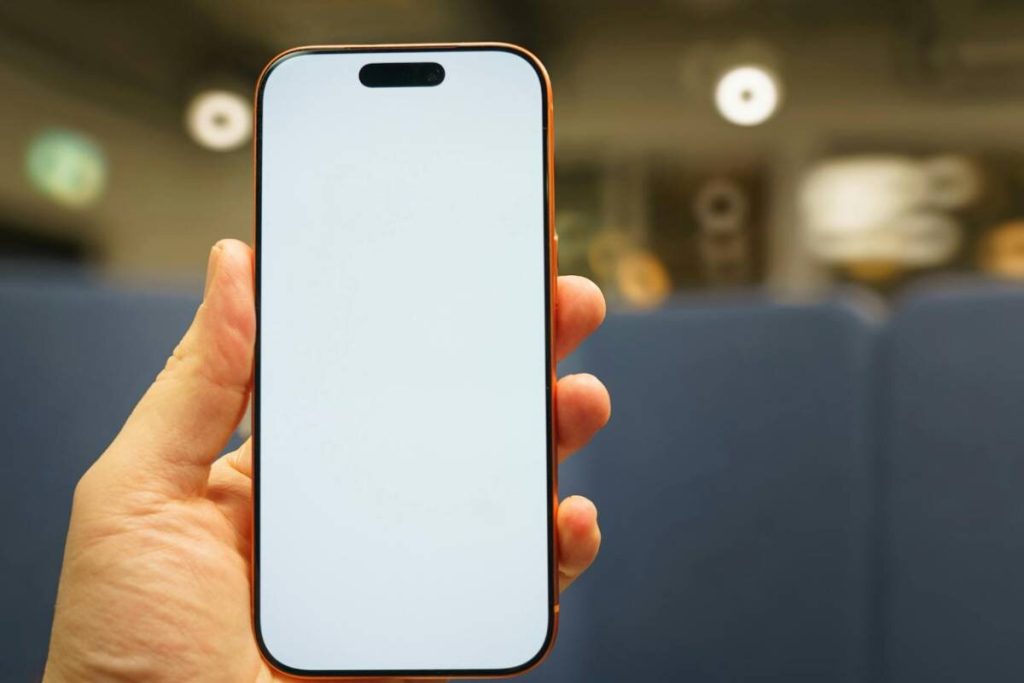
Buying an iPhone 14 Pro Max SIM free gives you more flexibility than a carrier-locked device. Instead of being tied to one network, you can choose the carrier and plan that work best for you.
However, because the U.S. version of the iPhone 14 Pro Max is eSIM-only, many users are unsure how activation works and what “SIM free” actually means in practice.
In this guide, you will learn how SIM-free iPhone 14 Pro Max models work, how to activate eSIM correctly, common setup issues to avoid, and how to use your device with compatible service options.
1. What Does “SIM Free” Mean for iPhone 14 Pro Max?
An iPhone 14 Pro Max SIM free device is not tied to any single carrier. This means you can activate it with different networks instead of being restricted to one provider.
In practical terms, a SIM-free iPhone:
- Can use different carriers
- Allows easier switching between plans
- Gives more flexibility for travel and eSIM activation
For U.S. models, this is especially important because the iPhone 14 Pro Max does not include a physical SIM tray. Instead, activation happens entirely through eSIM.
That means:
- You add a mobile plan digitally
- No physical nano-SIM is required
- You can store multiple eSIM profiles on the device
International versions may still support a physical SIM alongside eSIM, depending on the region where the phone was sold.
A SIM-free model is different from a locked device because:
- You do not need carrier approval to switch networks
- You can activate service with compatible providers immediately
- The phone is more flexible for long-term use


2. Is the iPhone 14 Pro Max SIM Free Worth Buying?
For many users, buying a SIM-free iPhone 14 Pro Max is the better long-term option because it gives more control over your service and carrier choices.
Here are the biggest advantages:
- More carrier flexibility: You can choose the provider that offers the best pricing, coverage, or eSIM support.
- Better for international travel: Instead of paying roaming fees, you can activate a local eSIM plan while traveling.
- No long-term carrier restrictions: You are not tied to installment plans or network locks.
- Easier dual-line setup: The iPhone 14 Pro Max supports multiple eSIM profiles, which is useful for separating work and personal numbers.
- Higher resale appeal: SIM-free phones are generally easier to resell because they work across multiple networks.
However, there are also a few things to keep in mind:
- Some carriers require eSIM setup support
- Older providers may still rely heavily on physical SIM activation
- U.S. models can confuse users expecting a SIM tray
For users comfortable with eSIM activation, a SIM-free iPhone 14 Pro Max offers one of the most flexible setups available.
3. How to Activate a SIM-Free iPhone 14 Pro Max
Activating an iPhone 14 Pro Max SIM free is usually quick, but the process is different from older iPhones because U.S. models rely entirely on eSIM.
Before starting:
- Make sure your carrier supports eSIM
- Have your QR code or activation details ready
- Connect to a stable Wi-Fi network
Step 1: Connect to Wi-Fi
Your iPhone needs internet access before eSIM activation can begin.
Steps:
- Turn on your iPhone
- Connect to a reliable Wi-Fi network
- Complete the initial setup screens if needed
Without Wi-Fi, your phone may not be able to download the eSIM profile properly.
Step 2: – Settings → Cellular → Add eSIM
Once connected:
- Open Settings
- Tap Cellular or Mobile Data
- Select Add eSIM
Your iPhone will begin the setup process for adding a new mobile plan.
Depending on the carrier, you may see:
- “Transfer From Nearby iPhone”
- “Use QR Code”
- “Set Up Cellular”
Step 3: Scan QR Code or Use Carrier App
Most carriers provide activation through:
- A QR code
- Their official mobile app
To activate:
- Scan the QR code with your iPhone camera
- Or follow the instructions inside the carrier app
Your phone will then:
- Download the eSIM profile
- Register the plan with the network
This usually takes a few minutes.
Step 4: Confirm and Restart
After installation:
- Confirm the cellular plan settings
- Choose labels if using multiple lines
- Restart your iPhone if prompted
Once restarted:
- Your signal bars should appear
- Calls, texts, and mobile data should begin working normally
If activation does not complete immediately, wait a few minutes or contact your carrier for assistance.
4. Common Problems Setting Up a SIM-Free iPhone 14 Pro Max
Even though activating an iPhone 14 Pro Max SIM free is usually straightforward, some users still run into setup issues, especially when using eSIM for the first time.
Most problems are related to activation compatibility, carrier setup, or confusion about how U.S. models work without a physical SIM tray.
Here are the most common issues users experience.
eSIM not Downloading
One of the most frequent problems is the eSIM profile failing to download during activation.
This can happen when:
- Your Wi-Fi connection is unstable
- The QR code has expired
- The carrier has not fully activated the line yet
- Your iPhone software is outdated
To fix it:
- Reconnect to a stable Wi-Fi network
- Restart your iPhone and try again
- Request a new QR code from the carrier
- Check for iOS updates
In many cases, simply restarting the activation process solves the issue.
Carrier Lock Errors
Some users buy a phone believing it is SIM free, only to discover the device is still carrier locked.
When this happens, you may see:
- “SIM not supported”
- “Carrier lock” messages
- Failed activation attempts with another provider
You can check the lock status here:
- Settings
- General
- About
- Carrier Lock
If it says:
- No SIM restrictions: the phone is unlocked
- Anything else: the device may still be locked to a carrier
This is important because a locked device may block eSIM activation from another network even if the phone itself works normally.
“No SIM card” Message
Many users panic when they see “No SIM card installed” on a U.S. iPhone 14 Pro Max.
In reality, this is often normal before eSIM activation.
Since U.S. models:
- Do not include a physical SIM tray
- Rely entirely on eSIM
The phone may temporarily display:
- “No SIM”
- “No SIM card installed”
- “SOS only”
until the eSIM profile is fully activated.
This does not always mean the phone is broken. It usually means:
- No active eSIM has been added yet
- The carrier setup is incomplete
- The network has not finished provisioning the line
Once the eSIM activates successfully, the message disappears automatically.
>>> Read more: How to Activate iPhone Without SIM Card: What Works in 2026
5. Already Have an iPhone 14 Pro Max? Get Free Service via AirTalk Wireless
If you already own an iPhone 14 Pro Max SIM free, you may not need to buy a new device to get connected. In many cases, you can simply bring your current iPhone to a compatible provider and activate service directly through eSIM.
One option is AirTalk Wireless, a Lifeline-supported provider in the United States that offers free or low-cost mobile service for eligible users.


Instead of requiring a new phone purchase, AirTalk supports BYOD (Bring Your Own Device), which means:
- You keep your existing iPhone 14 Pro Max
- You activate service through eSIM or SIM, depending on compatibility
- You avoid long-term contracts and credit checks
Who May Qualify for the Service?
Eligibility is usually based on:
- Participation in programs like SNAP, Medicaid, SSI, or Federal Public Housing Assistance
- Household income at or below Lifeline guidelines
Lifeline is a federal assistance program that helps eligible households access more affordable phone service through participating providers like AirTalk Wireless.
How the Setup Process Works
The application and activation process is relatively simple:
Step 1: Verify your eligibility
Make sure you qualify for the Lifeline program based on income or participation in programs like Medicaid, SNAP, or SSI.
Step 2: Check device compatibility
Use your iPhone’s IMEI to confirm that your device supports eSIM and works with the network using AirTalk’s compatibility checker tool.
Step 3: Visit the AirTalk Wireless website
Go to airtalkwireless.com and enter your ZIP code to check service availability in your area.

Step 4: Start your application
Click “Apply Now” and choose a plan. If you are bringing your own device (BYOD), select the Lifeline Data Boost Plan.
Step 5: Submit your application
Fill in the required information and upload documents if requested to verify eligibility.
Step 6: Wait for approval and activate your eSIM
Once approved, follow the instructions to activate your eSIM and start using the service.
Why This Works Well with a SIM-free iPhone
A SIM-free iPhone 14 Pro Max already gives you more flexibility because it is not tied to one network.
Pairing it with a provider like AirTalk Wireless can make setup easier because:
- You can activate service digitally through eSIM
- You avoid dealing with physical SIM cards
- You keep using the device you already own
For many users, this is one of the simplest ways to turn a SIM-free iPhone into a fully working everyday device without extra hardware or expensive carrier plans.
IMPORTANT: The government does not subsidize devices. Lifeline programs cover basic service costs only. Free or discounted devices, upgrade plans, or top-ups are exclusive benefits provided by AirTalk Wireless as part of our promotional offers. Terms and conditions apply. Limited-time promotion—offers vary by state, stock availability, and eligibility.
Final Words
Choosing an iPhone 14 Pro Max SIM free gives you much more flexibility than a carrier-locked device. You can activate different networks, switch plans more easily, and take full advantage of eSIM without depending on a physical SIM card.
The key is understanding how activation works and making sure your device is truly unlocked before setup. Once that part is handled, using a SIM-free iPhone becomes much simpler, especially with providers that support eSIM activation and BYOD options.