



Modern smartphones include many features designed to improve call quality and connectivity. One of these features is Wi-fi calling, which allows your phone to place and receive calls using a wi-fi network instead of relying only on cellular signal strength.
This can be helpful in places where cellular coverage is weak, such as inside buildings, apartments, or rural areas. Instead of losing the call or experiencing poor signal, your phone can route the call through an available internet connection. Because the feature activates automatically on many devices, some users eventually wonder “should Wifi calling be on or off”.
In reality, the answer depends on your network conditions, device compatibility, and personal preferences.
1. Should Wi-Fi Calling Be On or Off?


If you’re trying to decide should Wi-fi calling be on or off, the answer is not always the same for everyone. Wi-fi calling can be helpful in many situations, but it may also cause minor issues depending on your network environment.
For most users, the feature is beneficial because it allows calls to connect even when cellular signals are weak.
However, in some situations, users may prefer to disable the feature temporarily.
Is it better to keep Wi-fi calling on or off?
A common question users ask is “Is it better to keep Wi-fi calling on or off?”
In general, keeping the feature enabled is recommended if you frequently experience weak mobile signal indoors. Wifi calling allows your phone to automatically switch to wifi when the cellular network is unstable.
Benefits of keeping wi-Fi calling on include:
- improved call reliability indoors
- better call clarity in some locations
- fewer dropped calls in low-signal areas.
Situations where Wi-fi calling can be especially useful
There are several situations where Wifi calling can make a noticeable difference in call quality.
Examples include:
- Indoor environments: Large buildings, office complexes, and apartments sometimes block cellular signals. Wi-Fi calling allows calls to connect through the internet instead.
- Rural or low-coverage areas: In locations where cellular towers are far away, wi-fi calling can provide a more stable connection.
- Travel or crowded network areas: Sometimes cellular networks become congested. In these cases, wi-fi calling can offer an alternative connection.
>>> Read more: How to Turn Off Wi-Fi Calling: Step-by-Step Guide for iPhone and Android
2. What Happens if I Disable Wi-Fi Calling?
Another common question is what happens if I disable Wi-fi calling?
When wifi calling is turned off, your phone will rely entirely on the cellular network for voice calls.
This means:
- calls will only use the mobile network
- the phone will no longer route calls through wi-fi
- call quality will depend completely on cellular signal strength.
For users in areas with strong cellular coverage, disabling the feature may not cause noticeable changes.
However, if you frequently experience weak signal indoors, disabling the feature may result in dropped calls or reduced call quality.
When evaluating should Wifi calling be on or off, it’s helpful to test both options and see which works better for your environment.
3. Using Wi-Fi Calling With Lifeline Plans From AirTalk Wireless
Wifi calling is not just a phone feature, it also depends on whether your wireless service supports it.
Many modern mobile plans include support for Wifi calling so users can stay connected even when cellular coverage is limited.
For example, wireless service plans available through AirTalk Wireless support advanced communication features such as Wifi calling. This allows compatible smartphones to place calls over Wifi networks when cellular signal is weak.
This capability can help users maintain consistent communication in buildings, homes, or other environments where cellular signals may fluctuate.
Because Wifi calling relies on both smartphone compatibility and network support, having a wireless plan that supports these features plays an important role in determining should Wifi calling be on or off.
What Lifeline service through AirTalk typically includes?
For households looking for more affordable connectivity, the Lifeline program helps provide access to wireless communication services.
Through participating providers like AirTalk Wireless, eligible low-income households may receive mobile service designed to support everyday communication needs.
Depending on eligibility and availability, Lifeline service through AirTalk may include:
- voice calling capability
- text messaging service
- mobile data access
- support for modern communication features such as Wifi calling.
These features help users stay connected with family members, healthcare providers, employers, and essential services.
Reliable connectivity is especially important for people who rely on their phones for work, education, or healthcare communication.
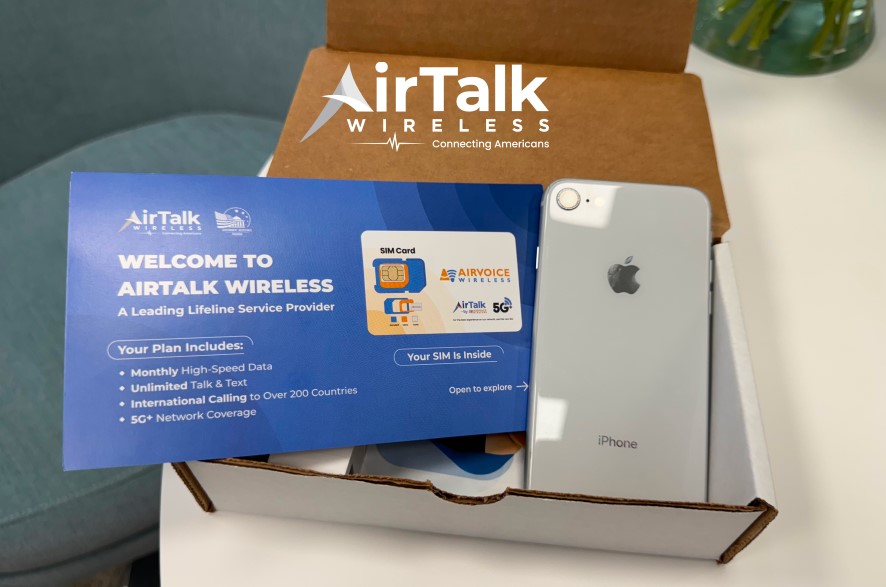
Smartphones offered by AirTalk
Wifi calling requires compatible smartphones that support the feature.
Depending on inventory availability, smartphones offered through AirTalk Wireless may include devices such as:
- Select Apple iPhone models
- Samsung Galaxy A-series smartphones
- Motorola Moto G devices
- TCL Android smartphones
With compatible devices and supported wireless plans, users can decide should Wifi calling be on or off depending on their network environment.
4. How to Get Started With AirTalk Wireless
Applying for Lifeline service through AirTalk Wireless is designed to be a simple process.
Applicants typically complete the following steps:
- Check eligibility through qualifying programs or income guidelines
- Submit an online application
- Provide documentation verifying eligibility
- Choose a device if approved
- Activate service once the phone arrives.
Once enrolled, users can begin using their smartphone and wireless service immediately.

Final Thoughts
Deciding should Wifi calling be on or off ultimately depends on your environment and connectivity needs.
For many users, keeping Wifi calling enabled improves call reliability and reduces dropped calls in low-signal areas. Others may prefer disabling it if they experience network switching or inconsistent internet connections.
With modern smartphones and wireless plans that support advanced communication features, users can adjust their settings to find the best calling experience for their situation.