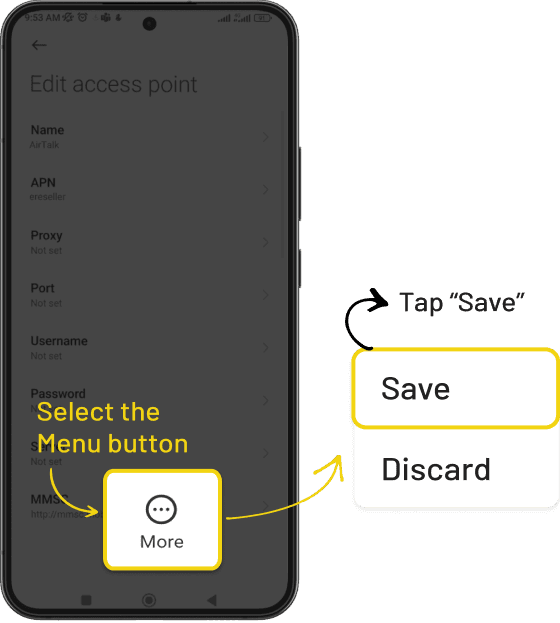
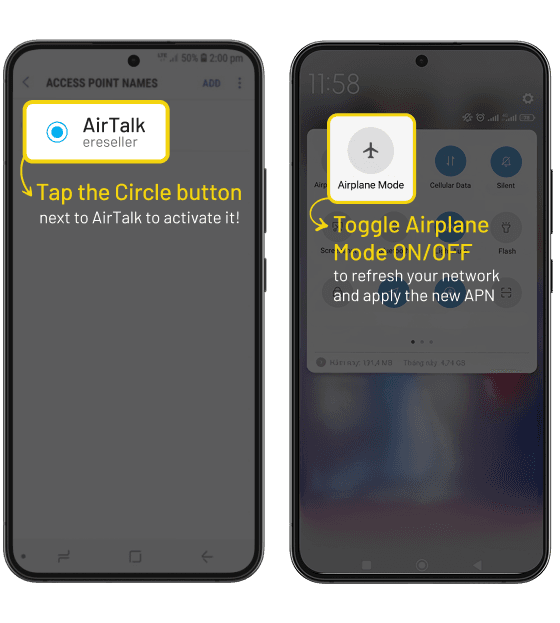
Set up APN on your Device
If you just swapped your SIM or switched devices, follow these quick steps to set up your APN and restore your AirTalk mobile data instantly.
Step 1
Before you start, connect to Wi-Fi. Then download your APN profile.
Step 2
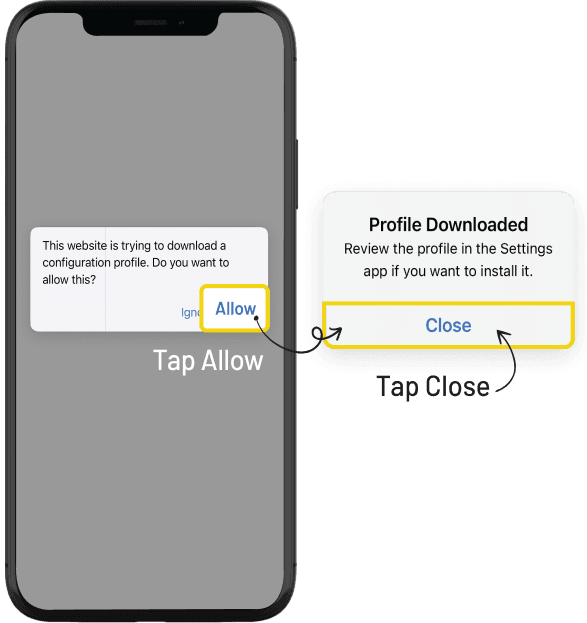
Allow the download
Tap Allow, then tap Close when the download is complete.
Step 3
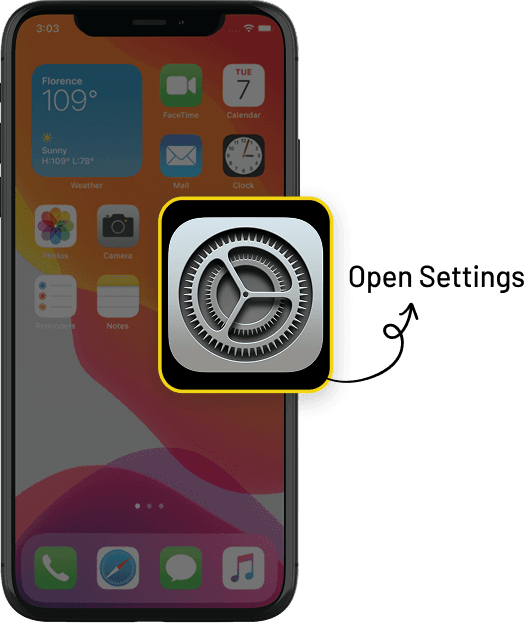
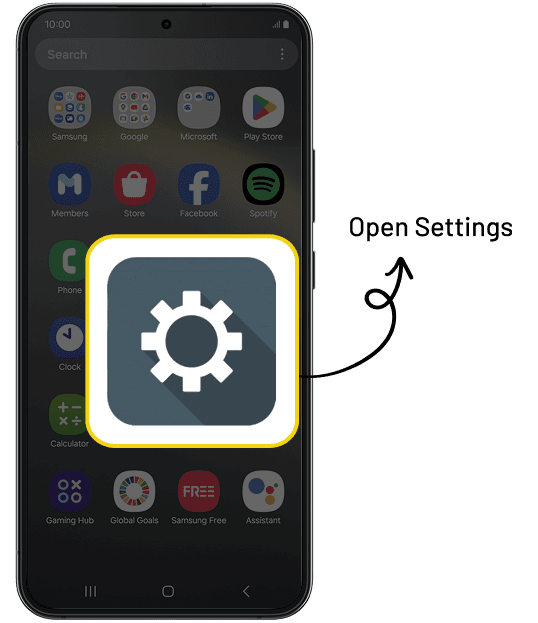
Open Settings
Step 4
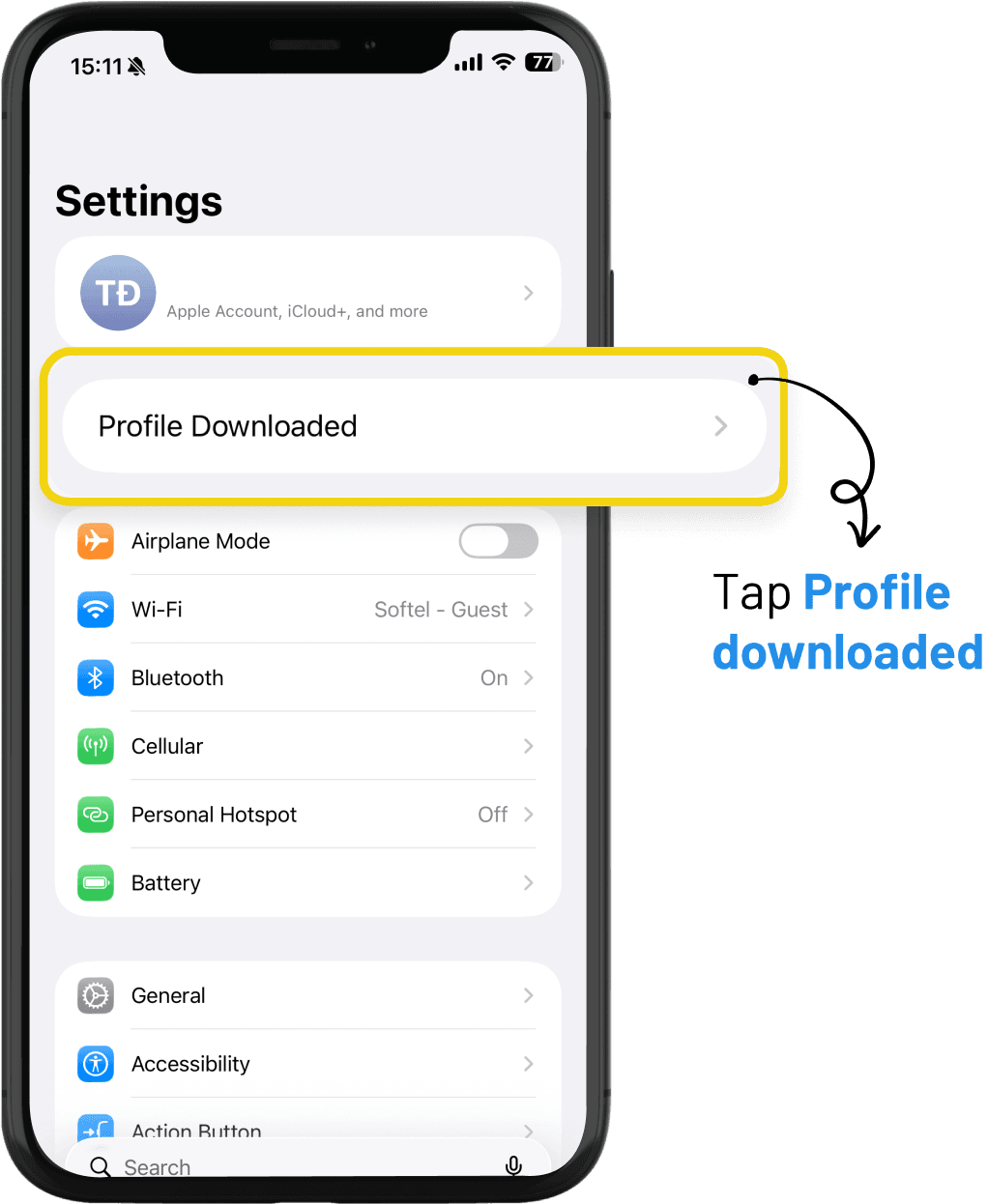
Open Profile Downloaded
In Settings, tap Profile Downloaded.
Step 5
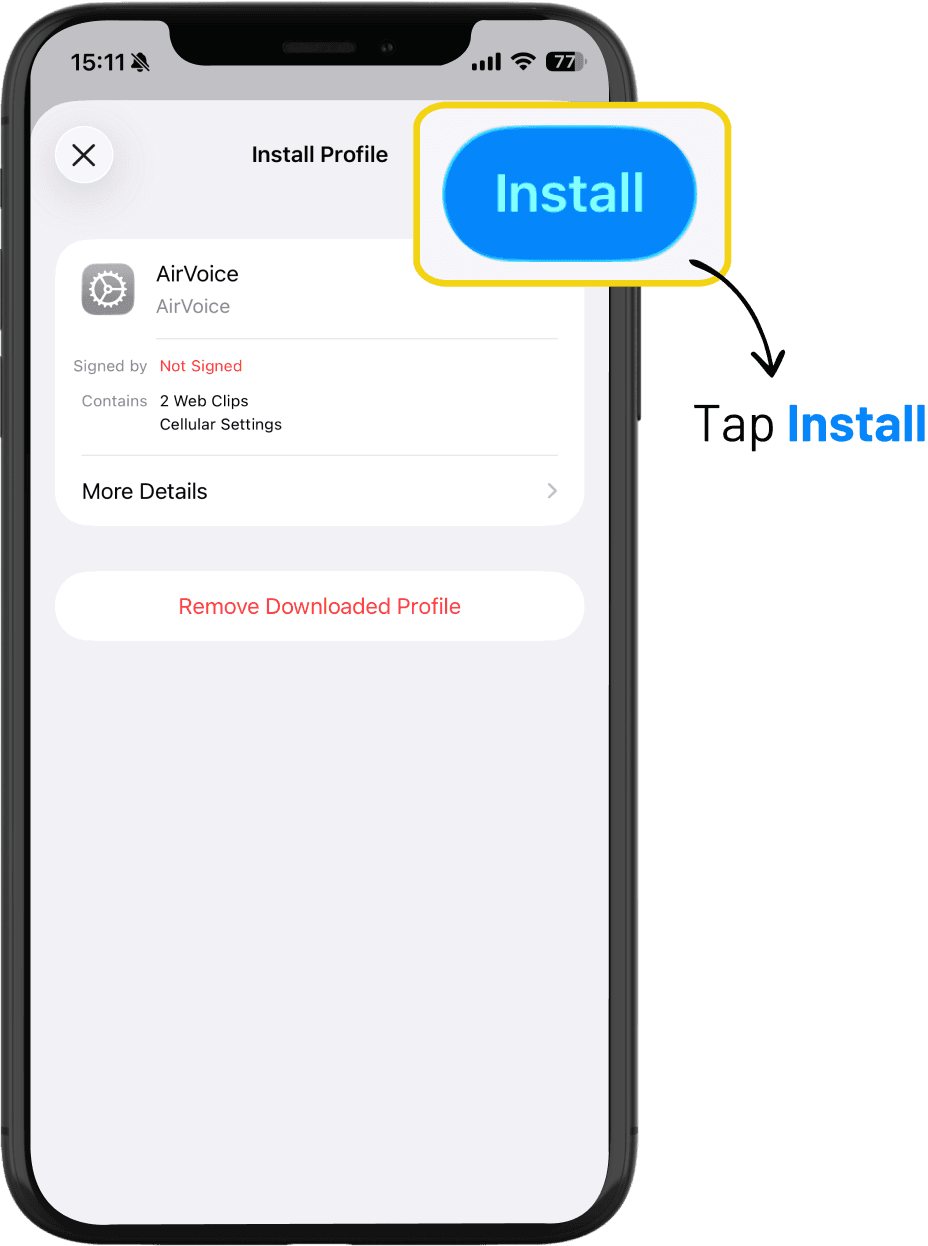
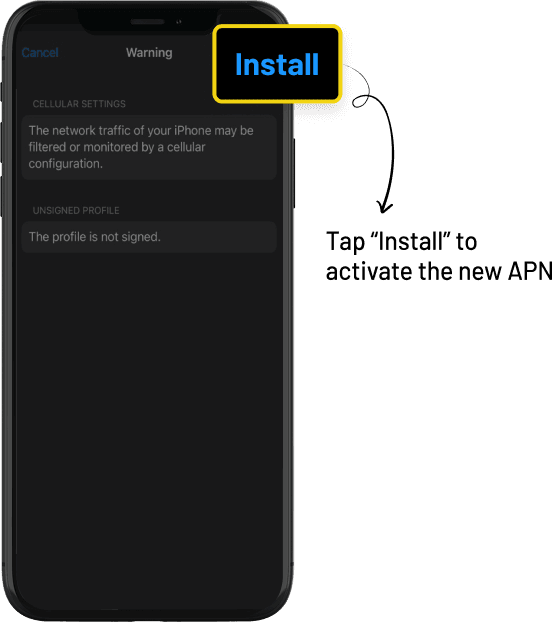
Install the downloaded profile
Tap Install
Step 6
Install the profile
Once installed, your AirTalk mobile data is ready to use!
Scan the QR code if you're viewing this page on another device
or Tap Download APN Profile if you're on the iPhone you want to set up