



How to Call a Blocked Number on iPhone – 3 Proven Methods
- Share This:
-


-

-

-

-

-

-

-


It can be frustrating to find out your calls are not going through, especially if you think you might have been blocked by someone on your iPhone. Sometimes this happens after a disagreement, a mistake, or even a technical glitch, but the result is the same: you cannot reach the person you want to talk to.
To figure out what to do, it helps to know how blocking works on iPhones and what options you actually have for getting in touch.
In this guide, we will walk you through what you can try if you need to call someone who has blocked your number. Let’s see how to call a blocked number on iPhone.
1. Can You Call a Blocked Number on iPhone?
Before you can figure out how to call a blocked number on iPhone, it helps to know how call blocking actually works in the first place.
What Happens When a Number Is Blocked on iPhone
When someone blocks your phone number on an iPhone, your calls, messages, and FaceTime attempts will not reach them.
The person who blocked you will not receive notifications about your calls or texts. Blocked contacts cannot contact the user through standard Apple services (Calls, Messages, FaceTime) once added to the blocked list.
In most cases:
- Your calls may ring once and then disconnect.
- Messages will not be delivered.
- FaceTime calls will fail to connect.
This behavior commonly leads people to search ‘how to call someone who blocked me on iPhone.’
Is It Possible to Bypass a Block on an iPhone?
Technically, the block applies specifically to the restricted phone number. That means the block does not apply to every possible phone number in the world.
This is why many guides about how to call a blocked number on iPhone focus on using a different number or a private calling method. However, it is important to remember that respecting someone’s privacy is always important when considering these options.
>>> Read more: How to Call Restricted: Simple Ways to Hide Your Caller ID on Any Phone
2. How to Call a Blocked Number on iPhone (3 Proven Methods)
If you are researching how to call a blocked number on iPhone, several methods are commonly discussed online:
How to Call Blocked Number iPhone Using Caller ID Blocking
One method sometimes mentioned in guides on how to call a blocked number on an iPhone is to hide your caller ID.
When you disable caller ID, your phone number appears as “No Caller ID” or “Unknown Caller.” This can sometimes bypass a personal block because the blocked person cannot see the actual number calling.
On iPhone, you can disable caller ID by going to the phone settings and turning off the “Show My Caller ID” option. After that, try calling again.
This method only works if the recipient hasn’t enabled blocking for unknown or private numbers (many people do).

Call Using a Different Phone Number
Another common solution is simply using a different number.
This might include: Borrowing a friend’s phone, using another device, or getting a secondary phone number.
Because the block applies only to a specific number, calls from a different number may go through normally.
Use Voicemail or Alternative Contact Methods
On iPhone, the blocked number may still allow voicemail messages, depending on the carrier and settings.
If your call goes directly to voicemail, leaving a short and respectful message may help clarify the situation.
Other communication methods may also work better than repeatedly trying to call a blocked number on an iPhone, such as email, social media, or messaging apps.
3. Important Things to Consider Before Trying to Call a Blocked Number on iPhone
If you’re thinking about calling a blocked number on your iPhone, it’s worth pausing to consider a few key points first.
Respecting Privacy and Boundaries
When someone blocks a number, it is often because they want space or do not want further communication.
Learning how to call blocked number iPhone can be useful in certain situations, but repeatedly trying to bypass someone’s block may cause more tension rather than solving the problem.
Legal or Ethical Concerns
In some regions, repeatedly contacting someone who has blocked you could raise concerns about harassment.
Instead of focusing on how to call a blocked number on iPhone, it may be better to wait or find another respectful way to communicate.
>>> Read more: How to Record a Phone Call on iPhone
4. Need a Second Number to Make Private Calls? Get Free Phone Service Through AirTalk Wireless!
If you frequently need a second number for privacy or business calls, services like AirTalk Wireless may provide a practical solution by having a second phone and/or phone number.
Benefits of Choosing AirTalk Wireless
AirTalk Wireless is a popular provider in the federal Lifeline program, which helps qualified low-income households access affordable communication services.
The program reduces the cost of phone and internet service for people who qualify based on income (at or below 135% of the Federal Poverty Guidelines) or through participation in government assistance programs such as SNAP, Medicaid, or SSI.
When applying for Lifeline through AirTalk Wireless, qualified users may receive free monthly talk, text, and data services without long-term contracts or hidden fees.
Special Devices Available Through AirTalk Wireless
While the Lifeline program itself focuses on discounted communication services, AirTalk Wireless includes devices as part of the enrollment process.
Qualified applicants may receive smartphones or tablets from well-known brands along with a free SIM card/eSIM, depending on availability and location.
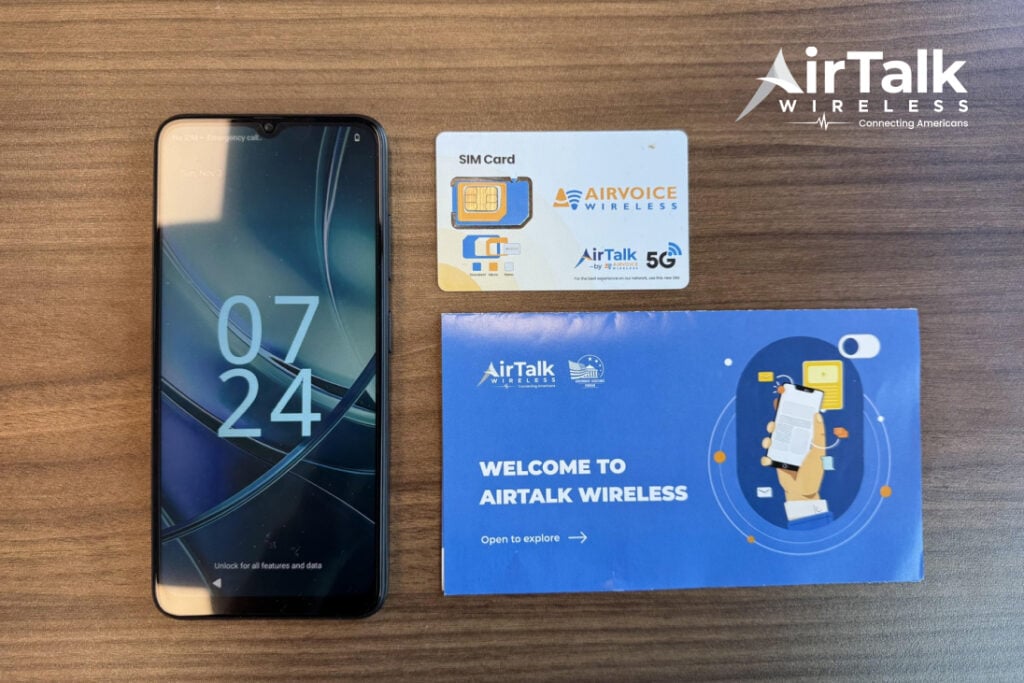
This means users can obtain a second device and number, which can be useful for business calls, private communication, or situations where you want to separate contacts.
5. Tips to Manage Calls and Privacy Settings on iPhone
Sometimes the issue is not about how to call a blocked number on iPhone, but about managing your own phone settings effectively.

Review your call settings regularly. Check whether your number is being displayed correctly and whether caller ID is enabled.
You can also enable features such as call filtering or unknown caller silencing to manage unwanted calls more effectively. Apple’s communication safety features allow users to block contacts, filter messages, and control who can contact them across their devices.
Conclusion
Learning how to call a blocked number on iPhone can help you understand why calls are not going through and what alternatives may exist. In most cases, the block applies only to one specific phone number, which is why solutions such as using a different number are often suggested.
- Share This:
-
-
-
-
-
-
-
-
New on AirTalk Wireless


