


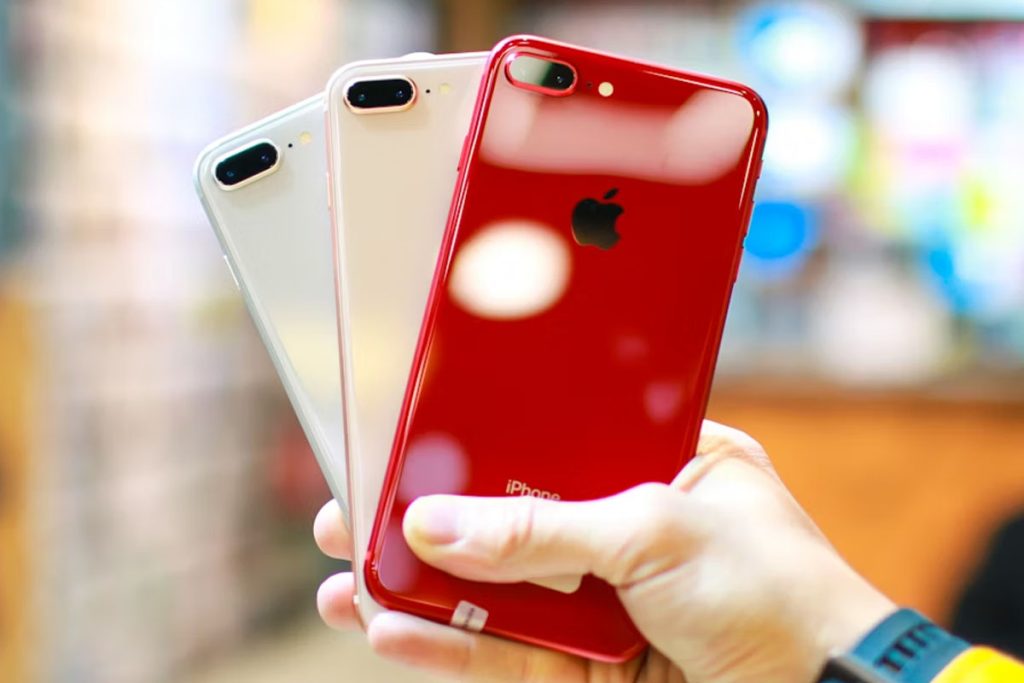
If you’re wondering, does iPhone 8 Plus have eSIM, you’re not alone. Many users looking to switch carriers or use dual-SIM features are unsure whether this older device supports modern technologies.
Understanding this limitation is important before choosing a carrier plan or upgrading your device, especially as more networks move toward digital SIM solutions.
1. Does iPhone 8 Plus have eSIM?
No, the iPhone 8 Plus does not support eSIM technology. It was designed to work exclusively with a single physical nano-SIM card. Because it lacks the necessary internal hardware components, it cannot be updated to support eSIM through software updates.
Apple introduced eSIM compatibility starting with the iPhone XS, XS Max, and XR models in 2018. If you need a device that supports digital SIM activation or Dual SIM functionality, you will need to upgrade to a newer generation or a later model.
2. Which iPhones Do Not Support eSIM? A Quick Legacy List
While newer Apple devices offer advanced digital SIM features, many older models lack this hardware. Unfortunately, the iPhone 8 Plus, along with several older generations, such as the iPhone 7, relies entirely on a physical SIM card slot for cellular connectivity.
iPhone X and older
All iPhone models released before 2018 are incompatible with eSIM technology. This includes the iPhone 2G through the iPhone 7, as well as the iPhone 8, iPhone 8 Plus, and the iPhone X. These devices were manufactured with a single nano-SIM tray and do not contain the internal chip required to program a digital cellular plan.
How to check if your iPhone supports eSIM
To verify whether your specific iPhone supports eSIM, open the Settings app, navigate to General, then tap About. Scroll down to the “Available SIM” or “Digital SIM” section; if you see an IMEI listed under these headers, your phone is eSIM compatible.
If you only see one IMEI for a physical SIM, your device is a legacy model that does not support digital activation.


>>> Read more: What Is an eSIM Card and How Does It Work?
3. Which iPhones are eSIM only? The Future of Apple Devices
Starting with the iPhone 14 series in 2022, Apple Inc. began removing the physical SIM card tray from devices sold in the United States.
While these models are eSIM-only domestically, Apple continues to include a physical nano-SIM slot in versions sold in most other international markets. This shift has also raised questions such as “Does iPhone 8 Plus have eSIM?” highlighting the differences between older and newer iPhone models regarding SIM technology.
eSIM-only models (U.S. Only)
The following iPhone generations do not have a physical SIM slot if purchased in the U.S.:
- iPhone 17 Series: iPhone 17, 17 Plus, 17 Pro, and 17 Pro Max.
- iPhone 16 Series: iPhone 16, 16 Plus, 16 Pro, and 16 Pro Max.
- iPhone 15 Series: iPhone 15, 15 Plus, 15 Pro, and 15 Pro Max.
- iPhone 14 Series: iPhone 14, 14 Plus, 14 Pro, and 14 Pro Max.
The global exception: iPhone Air
The iPhone 17 Air is currently the only model designed to be eSIM-only worldwide. Unlike the standard flagships, this model has no region-specific versions with a physical tray, making it Apple’s first universal transition to a fully digital SIM standard.
4. Get an iPhone 8 Plus or More Premium Ones with AirTalk Wireless
If you are looking for a reliable smartphone at no cost or at a discounted price, AirTalk Wireless is currently offering the iPhone 8 Plus, as well as more premium models such as the iPhone 14 and iPhone 15 series, to qualifying customers through the government Lifeline program.
About the Lifeline program
Lifeline is a government assistance program designed to ensure that quality communication services are affordable for qualifying low-income consumers.
>>> Read more: Lifeline Benefits & How to Qualify
What’s included in AirTalk offers
As an Eligible Telecommunications Carrier (ETC), AirTalk Wireless provides incredible value to those who qualify.
When enrolling in Lifeline services with AirTalk, customers can receive a free or discounted smartphone, including the iPhone 8 series, iPhone XS, iPhone 11, and later models.
Every AirTalk plan includes a free SIM card or eSIM, unlimited talk, text, and free international calling. By choosing AirTalk Wireless, you gain access to essential connectivity without the burden of a monthly bill.


How to apply for a free eSIM-compatible iPhone
To apply for an iPhone from AirTalk Wireless, you must first qualify for the federal Lifeline assistance program.
You typically qualify for Lifeline if your household income is at or below 135% of the Federal Poverty Guidelines or if you participate in programs like:
- SNAP (food stamps)
- Medicaid
- SSI
- Federal Public Housing Assistance
- Veterans Pension
Once eligibility is confirmed, you can complete the process online to receive either a free device or a digital eSIM for your own phone.
Step 1: Check your eligibility
Visit the AirTalk Wireless website and enter your ZIP code.
Step 2: Select your plan and device
Choose a Lifeline plan that includes smartphone discounts, then browse available devices for an eSIM-compatible iPhone (such as iPhone XR, XS, or newer). If your selected iPhone supports eSIM, you can opt for a free eSIM during the application process.
If you already have an unlocked, compatible iPhone, you can choose the Bring Your Own Device (BYOD) option to receive a free eSIM and service plan.
Step 3: Submit required documents
Upload clear digital copies of your documentation to verify your identity and eligibility. Common documents include:
- Government-issued photo ID (Driver’s License or Passport)
- Proof of eligibility (SNAP/Medicaid award letter or tax return)
- Proof of address
Step 5: Activate your eSIM
Once approved, AirTalk will ship your device or provide your eSIM details. Follow the AirTalk instructions to activate your service.
Note: Eligibility varies by state and program. Offers depend on availability and qualifications. AirTalk Wireless operates under the Federal Lifeline Program as an Eligible Telecommunications Carrier (ETC). Service is non-transferable and limited to one service per household.
>>> Read more: AirTalk Wireless Activation: Quick Guide to SIM & eSIM Activation
5. Frequently Asked Questions
Can I add eSIM support with a software update?
No. Because eSIM functionality depends on specific built-in hardware components, it cannot be added via an iOS software update.
Is the iPhone 8 Plus dual SIM?
Not natively. While newer models use one physical SIM and one eSIM for Dual SIM capability, the iPhone 8 Plus only supports one official line. Some users use unofficial third-party dual SIM adapters or external cases, but these are not supported by Apple.
Which iPhone models were the first to support eSIM?
Apple introduced eSIM support starting with the iPhone XS, iPhone XS Max, and iPhone XR in 2018.
How can I check if a newer iPhone is eSIM compatible?
On newer models, you can verify compatibility by going to Settings > Cellular. If you see an option to “Add eSIM” or “Set Up Cellular,” the device supports eSIM. You can also dial *#06# on the keypad; if an EID (Embedded Identity Document) number appears, the phone is eSIM‑compatible.
Final Words
To sum up, does iPhone 8 Plus have eSIM? Clearly, no, it relies entirely on a physical SIM card. If eSIM functionality is important for flexibility, travel, or dual SIM use, you’ll need a newer model like the iPhone XR or later.
As technology continues shifting toward eSIM-only devices, upgrading ensures better compatibility and a smoother mobile experience in the long run.