


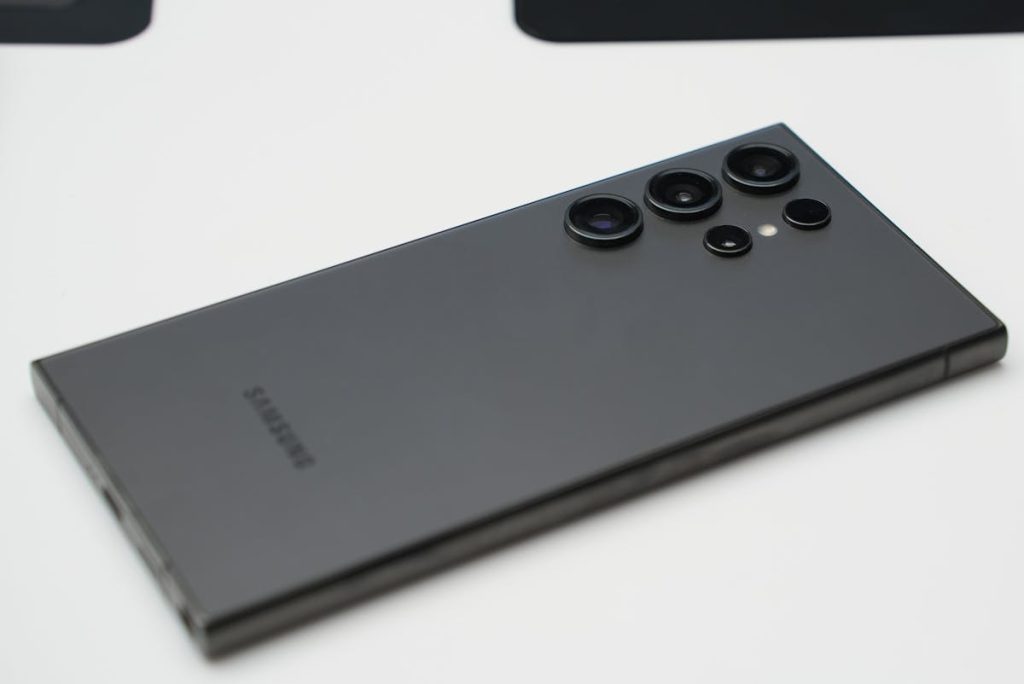
More Samsung phones now support eSIM, giving users a convenient way to activate service without using a physical SIM card. But when changing carriers, fixing network issues, or preparing to sell a device, many users start searching how to delete eSIM on Samsung.
The process is usually simple, but deleting the wrong profile too early can interrupt service. That is why it helps to understand when removal makes sense, what happens afterward, and whether deleting is better than resetting.
This guide explains ways to delete eSIM on Samsung safely and what to do before you switch carriers.
1. How to Delete eSIM on Samsung the Right Way?
The safest method is through the phone’s SIM or network settings. On many Samsung Galaxy devices, the path looks similar to: Settings > Connections > SIM Manager.
From there, you may see your active SIMs, including any eSIM profile installed on the device.
The usual process is to open SIM Manager, choose the eSIM you no longer need, and confirm removal. Some phones may ask for a restart afterward.
Depending on model and software version, menu names can vary slightly. Before deleting, make sure your number has been transferred or that you no longer need that active line.


On another hand, can we remove eSIM from Samsung phones? Yes. On most supported Samsung devices, you can remove an eSIM profile directly through the settings menu.
Once removed, your phone will stop using that digital line until you install a new profile or reactivate the previous one.
If you’re trying to completely delete an eSIM, it typically means removing the stored carrier profile from your device. However, this action doesn’t always cancel your service or billing.
In many cases, you’ll still need to contact your carrier to manage your account. To avoid issues, it’s best to confirm cancellation, transfer timing, or replacement setup before removing the eSIM.
>>> Read more: Does iPhone SE Have eSIM? A Complete Guide by Model Generation
2. Reasons to Delete an eSIM on Samsung
There are several common reasons people look up how to delete eSIM on Samsung.
- Switching to a new carrier
When moving to a different provider, deleting the old eSIM can help avoid confusion and clear space for the next activation.
- Troubleshooting connectivity problems
Some users remove and reinstall an eSIM if the device is not registering properly, fails activation, or has persistent network errors.
- Selling or giving away the phone
Before handing your phone to someone else, removing personal carrier profiles is an important privacy step.
3. Reset vs Delete: Which Option Solves eSIM Problems Better?
If you’re researching how to delete eSIM on Samsung, it’s important to know that deleting isn’t always the first or best solution.
For minor issues like dropped signal, temporary network glitches, or data problems, a simple restart or network settings reset can often fix things more quickly.
Deleting the eSIM makes more sense when the issue is tied to the profile itself, such as a failed setup, incorrect carrier details, or when switching to a new provider.
Many users also wonder if deleting an eSIM is harmful. In most cases, it’s not. Removing an eSIM won’t damage your phone.
The real risk comes from deleting it before you’re ready to activate a new line or before confirming the proper steps with your carrier. When done at the right time, deletion is simply part of managing your mobile service, not a risk to your device.
.>>> Read more: First iPhone With eSIM: Which Model Started Apple’s Digital SIM Era?
4. Starting Fresh With a New eSIM After Removal
Once you’ve completed how to delete eSIM on Samsung, it’s a good time to rethink your mobile setup.
Many users take this opportunity to switch to a plan that better fits their current needs, whether that means lower costs, more data, or a smoother digital experience.
Set Up a New eSIM Easily
Activating a new eSIM is usually quick and simple. Most carriers allow you to:
- Scan a QR code
- Use a carrier app
- Download the eSIM directly through settings
A stable Wi-Fi connection will help ensure the setup process goes smoothly.
Consider More Affordable Service Options
If you’re switching to save money, it may be worth exploring programs designed to make wireless service more accessible. Lifeline is a federal assistance program that helps eligible users reduce the cost of staying connected.
AirTalk Wireless participates in the Lifeline program as an Eligible Telecommunications Carrier (ETC). For qualified users, this may open up options such as:
- Plans for Samsung devices and more
- BYOD (Bring Your Own Device) setups
- Access to available smartphones depending on inventory and location
Instead of just wondering how to delete eSIM on Samsung, this can be a smart chance to upgrade your overall experience, better plan, easier activation, and potentially lower monthly costs.
You must know that Lifeline participation depends on eligibility, with one benefit allowed per household. Availability may vary by state, inventory, and current offers, so checking eligibility is the best first step.
The process with AirTalk Wireless usually starts by checking your eligibility based on income or participation in approved assistance programs.
From there, you can enter your ZIP code, explore available plans or devices, upload the required verification documents, complete your application, and activate service once approved.
Keep in mind that availability may vary depending on your state, current inventory, and ongoing offers.


IMPORTANT: The government does not subsidize devices. Lifeline programs cover basic service costs only. Free or discounted devices, upgrade plans, or top-ups are exclusive benefits provided by AirTalk Wireless as part of our promotional offers. Terms and conditions apply. Limited-time promotion—offers vary by state, stock availability, and eligibility.
Final Thoughts
Learning how to delete eSIM on Samsung is useful when switching carriers, troubleshooting network issues, or preparing a phone for someone else.
In many cases, removal only takes a few taps. The bigger decision is what comes next, whether that means reinstalling service, changing providers, or finding a more affordable plan.
If you prepare first, deleting an old eSIM can be the cleanest step toward a better mobile setup