



School pickups, work shifts, and appointments are easy to miss when schedules are separate. How to share Apple calendar depends on your device and on whether the other person needs to edit events or only see them.
Our guide covers the requirements, the steps on iPhone, Mac, and iCloud.com, how to manage or end sharing, and what to do when the calendar does not appear.
1. What Apple Calendar Sharing Needs?
A few requirements decide which option works, and how to share Apple calendar correctly starts with checking them. Sharing works with iCloud calendars, and only the owner can change who has access.
- Private invitation: The person you invite must have an Apple Account and use iCloud. You choose whether they can edit or only view.
- Public link: The viewer does not need iCloud. Anyone with the link can see the calendar, but no one can change it.
A calendar saved only on the device cannot be shared until it lives in iCloud.
2. How to Share Apple Calendar With Someone on iPhone?
Sharing happens one calendar at a time, and how to share Apple calendar with someone on an iPhone comes down to two methods: a private invitation or a public link.

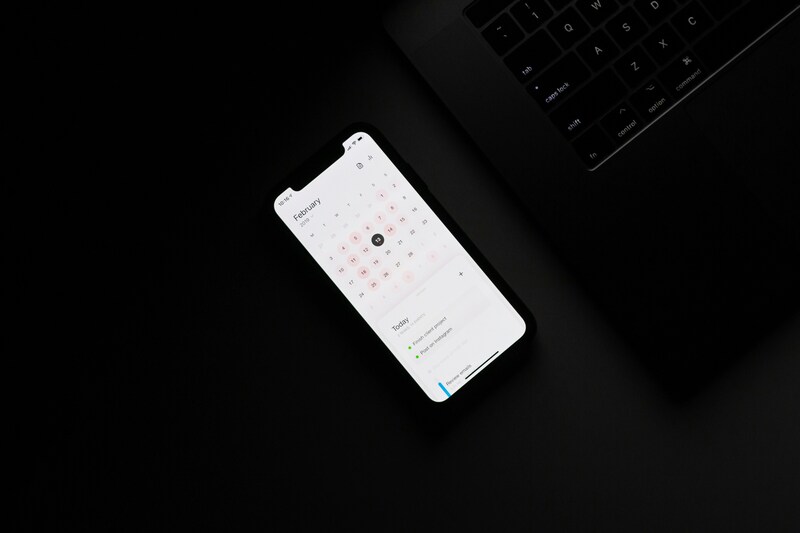
Method 1: Invite a Person to Your Calendar and Set Their Permissions
- Open Calendar and tap Calendars at the bottom of the screen.
- Tap the Info button next to the iCloud calendar you want to share.
- Tap Add Person, then enter a name or email address, or choose from Contacts.
- Tap Add. The person receives an invitation to join the calendar.
Permissions come next. Tap Calendars, tap the Info button beside the shared calendar, and tap the person’s name.
Turn Allow Editing on if they should add events, such as a spouse planning dinners, and leave it off if they only need to view, such as a coworker checking your availability.
Method 2: Share a Public Link Instead
- Tap Calendars, then the Info button next to the iCloud calendar.
- Turn on Public Calendar.
- Tap Share Link and send it by Messages or Mail.
People who open the link can follow the calendar but cannot change it, and they do not need iCloud. It is the simplest version of how to share Apple calendar details with a large group, such as a team or a school.
3. How to Share an Apple Calendar From Mac or iCloud.com?
The idea is the same on a computer, and how to share an Apple calendar there takes a few clicks. Use the Mac app on a Mac, and iCloud.com on any other computer.
Share From the Calendar App on Mac
- Open Calendar. If you do not see the calendar list, choose View, then Show Calendar List.
- Hover over the calendar’s name and click the Share Calendar button.
- Click Share With and enter names or email addresses. You can also enter a Contacts list name to invite its members.
- To limit someone to viewing, hover over their name, click the down arrow, and choose View Only.
- To let anyone view it, select Public Calendar, then click Done.
Share From iCloud.com
Sign in to iCloud.com, open Calendar, and open the calendar’s info panel. Add the email addresses you want, then choose Allow editing or Read-Only for each person before saving. For a public calendar, turn on public sharing, then copy the link or email it.
>>> Read more: How to Share WiFi Password on iPhone in 3 Effortless Steps?
4. Tips to Manage the Invitation and Stop Sharing When You Need To
Sharing is not permanent, and a few habits keep it tidy once how to share Apple calendar is done.
- Accepting: The invitee can accept on a Mac, on an iPhone or iPad signed in to their iCloud account, or on iCloud.com.
- Resending: On a Mac, hover over the person’s name, click the down arrow, and choose Invite Again. For a public calendar, send the link again.
- Stopping on iPhone: Tap Calendars, tap the Info button, tap the person, and tap Stop Sharing. For a public link, turn Public Calendar off.
- Stopping on Mac: Select the person in the Share Calendar panel and press Delete. To end sharing for everyone, Control-click the calendar and choose Stop Sharing.
- Quieter alerts: Go to Settings, Notifications, Calendar, Shared Calendar Changes, and turn off Allow Notifications.
5. Why Your Shared Calendar May Not Show Up?
If how to share Apple calendar steps worked but the calendar is missing, the cause is usually the calendar’s account or the invitation. Each has a quick fix, so work through these checks in order.
Check the Calendar’s Account
The calendar may be saved on the device instead of iCloud, or the other person may not have an Apple Account or use iCloud. Either one blocks a private invitation.
Create the calendar in iCloud and move the events into it, then invite the person again. If they do not use iCloud, share a public link instead.
Check the Invitation and Permission
The invitation may be waiting for a reply, may have gone to a different email address, or may give view-only access. A public link also never allows changes.
Therefore, ask the person to accept on a device signed in to their account or on iCloud.com. Resend the invitation, or add the address linked to their Apple Account. If they cannot edit, turn on Allow Editing. If you stopped using iCloud, shared calendars you created become unavailable.
6. FAQs
How do I share my calendar with a family member?
Open Calendar, tap Calendars, tap the Info button, and tap Add Person. Enter their email address or choose them from Contacts, then tap Add. They accept on their own device. Turn on Allow Editing only for relatives who will add events. If a relative does not use iCloud, how to share Apple calendar by public link is the simplest route.
What is the best way to share my calendar with my spouse?
Create a separate iCloud calendar for household plans, share it with your spouse, and turn on Allow Editing so you both can add events. Keeping it apart from your personal calendar means private appointments stay private, and you stay the owner who can change permissions or stop sharing.
Why can’t I see a calendar that has been shared with me?
Check that you accepted the invitation and that the device is signed in to the same iCloud account. On a Mac, choose View, then Show Calendar List, in case the list is hidden. If you still see nothing, ask the owner to resend the invitation, since they may have stopped sharing.
Final Thoughts
Use a private invitation when people need to edit, and a public link when they only need to view. Then confirm that the invitation was accepted and the permissions match your intent. Sharing is done when the other person sees your events.
If they do not, check the calendar’s account, the invitation, and the permission, and resend if needed. With those steps, how to share Apple calendar takes only a few minutes.
For more practical tips on using technology in everyday life, explore the latest guides on the AirTalk Wireless blog!
>>> Read more: How to Share Location on iPhone: 4 Easy Methods for Different Situations